



hidematu5310
-
Posts
27 -
Joined
-
Last visited
Content Type
Profiles
Articles, News and Tips
Forums
Posts posted by hidematu5310
-
-
I have discovered a potential fix for the long-standing shutdown issues on the Dell Inspiron 1520 (ICH8M + NVIDIA GPU).
It appears that a significant delay (Sleep) is required to achieve a successful shutdown.
By writing 0 to SLP_SMI_EN to disable SMI generation, followed by a long Sleep command—specifically Sleep(0xFFFF) or at least Sleep(0x2710)—I have successfully achieved shutdowns on macOS 10.4 through 10.7, as well as 13, 14, and 15. Short delays like Sleep(0x10) or Sleep(0x16) invariably result in failure.like:
Method (_PTS, 1, NotSerialized)
{
If (LEqual (Arg0, 0x05))
{
Store (Zero, SLPE)
Sleep (0xFFFF)
}
}
The behavior varies across different macOS versions:
10.8 - 10.10: Unstable. Sometimes it succeeds, but often the screen goes black while the fans continue to spin, or the system reboots.
10.11 - 10.12: Always results in a reboot.
10.13 - macOS 12: The screen turns off, but the fans stay on indefinitely.
The reason why success rates are higher in very old and very new versions, while mid-era OS versions are unstable, remains unknown. Furthermore, it takes approximately 30 seconds to 1 minute for the hardware to complete the shutdown process. This suggests that the hardware requires a significantly longer time to prepare for power-off compared to other machines of the same generation. This is almost certainly due to a firmware bug.
While this is an unconventional fix, It is encouraging to find a working method for these models, which were previously thought to have no consistent solution for the shutdown problem.may work for the following models:
- Inspiron 1420 / 1520 / 1720
- Vostro 1400 / 1500 / 1700
- XPS M1330
Note that rebooting is also unstable on these models, sometimes succeeding and sometimes failing, likely due to a similar underlying cause.
What I have tested so far:- USB Power: Investigated behaviors around USB power, but it doesn't seem to be the cause.
- OSID: Tested with 0x10 (Windows XP) and 0x20 (Windows Vista), but with no significant change.
- BIOS Settings: Disabled LAN, Wi-Fi, Bluetooth, SDHC, and Module Bay in the BIOS, but the issue persists.
The following older thread might also be helpful for reference:
If you have any insights, suggestions, or ideas for a more fundamental solution, please let me know. Any feedback would be greatly appreciated!
-
There was a problem with RTC Memory Unclok causing the power to automatically turn on when the AC adapter is plugged in.
config.plist-NVRAM-Add-4D1FDA02-38C7-4A6A-9CC6-4BCCA8B30102-rtc-blacklist
80818283 84858687 88898A8B 8C8D8E8F 90919293 94959697 98999A9B 9C9D9E9F A0A1A2A3 A4A5A6A7 A8A9AAAB
Add the above and perform RTC Reset.
Press and hold the power button until the power light blinks three times.
Then set CFG Unclok and Low Power S0 Idle Capability to Disabled.
CFG Unlock
setup_var_cv CpuSetup 0x3E 0x11 0x00Low Power S0 Idle Capability disabled
setup_var_cv Setup 0x14 0x1 0x0Fixed Sleep issue and RTC Memory Unlock causing AC power to automatically turn on.
-
Try removing darkwake=x and changing it to hbfx-ahbm=129 and adding igfxfw=2.
If it does not work, remove this part of ssdt and test.
Name (SLTP, Zero)
Method (_TTS, 1, NotSerialized) // _TTS: Transition To State
{
    SLTP = Arg0
    If ((PWRS == Zero)){}
}
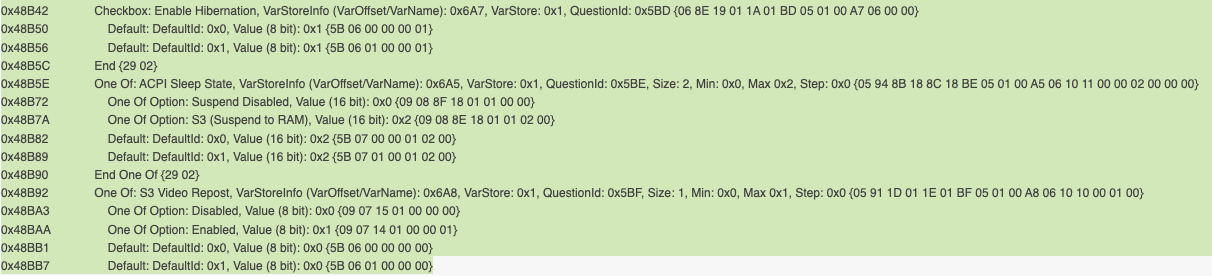
If it still does not work, try enable S3 as shown in the second image below.
ACPI Sleep State S3 (Suspend to RAM):
setup_var_cv Setup 0x6A5 0x1 0x2S3 Video Repost:
setup_var_cv Setup 0x6A8 0x1 0x1 -
I tried it with both Enable and Disable Block Sleep.
hibernatemode 3,25 twice each.
I put it in sleep for at least 5 minutes and then wake.
There was no difference between each.pmset -g stats
Sleep Count:2
Dark Wake Count:0
User Wake Count:2When I tested hibernatemode 25 with SSDT with deep idle enabled, I got a loop condition where it rebooted and then went to sleep, so I tested with SSDT with deep idle disabled.
If you want to use hibernate 25, use SSDT with deactivated deep idle because it is likely to conflict with deep idle.
Use SSDT regardless of whether Block Sleep is on or off.
Wake is also easier than with hibernate 3 because you can wake with the power button.
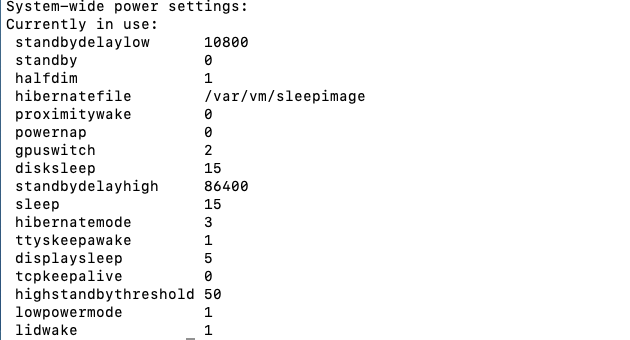
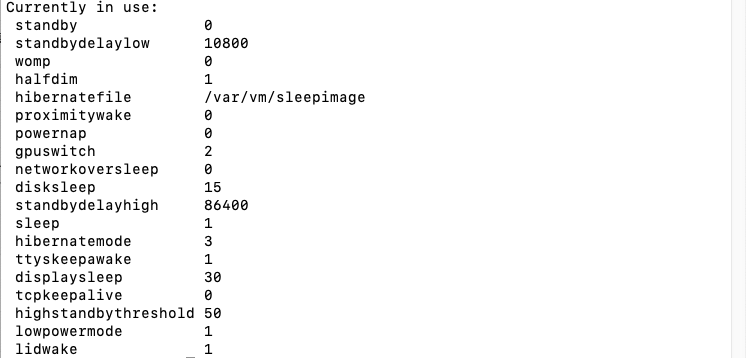
Is pmset restored to default?
Check if sleepimage is created in /var/vm.Update:
I did a battery drain test for 1 hour each.
hibernatemode 25
100% -> 100%hibernatemode 3
100% -> 85%Update 2:
It is now possible to resume using the Power Button from S3.
Low Power S0 Idle Capability: Disabled
setup_var_cv Setup 0x14 0x1 0x0
Currently working on improving the battery drain in S3.
Update 3:
hibernatemode 3 battery drain test for 1 hour.
Set standbydelay to about 5 minutes(300).
100% -> 98%Update 4:
Fixed a potential problem where trackpad would stop working after rebooting from Windows or after Wake.
Update 5:
probably fixed instant wake on AC
recommended to add
darkwake=0hbfx-ahbm=129 -
S3,hibernatemode 3 is now tentatively functional.
If it does not work, try enabling S3 (Suspend to RAM) above.
VoodooI2CHID.kext should be used with VoodooI2C.kext included.
If you use the one that comes with AlpsHID, the keymap will be broken when wake.For Ventura and above, RealtekCardReader.kext may cause darkwake.
If not in use, please turn it off.Currently, it does not wake from Lid, internal keyboard, or power button.
Please go to https://dortania.github.io/OpenCore-Post-Install/usb/misc/keyboard.html
You can wake from USB mouse/keyboard by using Method 1 - Add Wake Type Property (Recommended)
In that case, turn off SSDT-GPRW.aml.I would like to test if it is possible to wake from lid wake,internal keyboard,power button when I have time.
-
S3 still seems to be difficult.
RTC Memory Unlock
setup_var_cv PchSetup 0x16 0x17 0x0
Here are some items that may be relevant.
-
The file was deleted due to a problem found related to RTC.
-
It seems impossible.
I will test again when I have more time. -
Current BIOS does not seem to support S3.
-
I haven't tested it much, but hibernation seems to work by default.
Hibernationfixup may be deleted.pmset when using battery
NVMeFix
-nvmefaspm forces ASPM L1 on all the devices. This argument is recommended exclusively for testing purposes, as for daily usage one could inject pci-aspm-default device property with <02 00 00 00> value into the SSD devices and bridge devices they are connected to onboard. Updated values will be visible as pci-aspm-custom in the affected devices.AirportItlwm
io80211.awdl=0: fixed location service-noht40: Disables 40MHz when using 2.4GHz (Use this option if the network with this config causes instabilities. BRCM cards disable 2.4GHz HT40 by default)
-
My settings
Bios version:1.23.0
CFG Unlocked
Power Management section
Lid Switch Enable Lid Switch:Enable
AC Behavior Wake on AC:Disabled
Enable Intel Speed Shift Technology:Enable
Auto On Time:Disabled
Thermal Management:Optimized
USB Wake Support Wake on Dell USB-C Dock:Disabled
Wireless Radio Control:Disabled
Wake on LAN:Disabled
Block Sleep:Enable
Peak Shift:Disabled
Advanced Battery Charge Configuration:Disabled
Primary Battery Charge Configuration:Adaptive
pmset
-
I think this will work.
The attached file and Platforms77 are the same.
It matches the NodeID calculated from the dump, so using the attached file or changing the PathMapID in Platforms77.xml to 11 might work. -
Try this file.
-
For AppleALC, I compiled info.plist, layout11.xml, and Platform11.xml with modifications to each.
As for the trackpad, tapping and multi-touch gestures work fine on 10.6-10.13.
I just merged them and did not make any changes. -
I recently built an Inspiron 1520 as an archiving machine.
It may be useful as the specs are similar except for the GPU.The AppleALC that has been released does not support 10.4 Tiger and 10.7 Lion, 10.11 and later.
10.4 still needs to be investigated, but there is my mod that has made it compatible with all of 10.5 and later.
I also fixed the mute button issue, the slider sync issue, and a lot of sound assertion errors.
It has been tested on 10.5-10.13.For TrackPad, my 32/64 compiled version of the latest merge of Rehabman VoodooPS2 and Fraxul's merge in Pull requests so you can try it out.
I have also moved from Clover to the release version 0.9.6 OpenDuet and OpenCore no acpi mod binary 0.9.7.
The no acpi mod does not use ACPI when booting Windows, so you can use Windows just like Clover.
If you want to try it, use 0.9.6 because OpenDuet 0.9.7 is broken. -
If you have tried Baio77's method and it did not work, delete the previous TPDX and try this file.
If that does not work, try the previous TPDX and alpshid.kext.
-
Try it with this file.
-
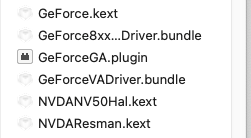
I have tried everything, DSDT, device property, nvinject, etc., but nvdanvresman panics and won't start.
Unfortunately I would like to give up about Tiger.I'll give it a few more tries.
If anyone has any ideas, please let me know.It worked with the old AppleHDA 1.2.9 and AppleALC.
AppleHDA 1.3.6 included with 10.4.11 did not work.
Also, graphics acceleration does not work.
Perhaps a binary patch to the relevant kext is needed.
I have tried to make sure it works on all operating systems from Tiger to Sonoma.
10.7.5 Lion
Replaced with AppleACPIPlatform.kext ver1.3.6 from Snow Leopard 10.6.8.
10.8.5 Mountain Lion
Replaced with AppleACPIPlatform.kext ver1.3.6 from Snow Leopard 10.6.8.
Replaced with AppleSDXC.kext from Lion 10.7.5.
10.9.5 Mavericks
10.10.5 Yosemite
10.11.6 El Capitan
10.12.6 Sierra
10.14.6 Mojave
Installer created with Mojave Patcher.
Patch applied is graphics only.OTA fix
https://github.com/jacklukem/CatalinaOTAswufix
10.15.7 Catalina
Installer created with Catalina Patcher without auto patch option.
Patch applied is graphics only.DisplayPrefpane fix
OTA fix
https://github.com/jacklukem/CatalinaOTAswufix
11.7.10 Big Sur
kexts,kernel patch from OpenCore Legacy Patcher: MacBookPro5,1 configuration and root patch.
12.7.4 Monterey
kexts,kernel patch from OpenCore Legacy Patcher: MacBookPro5,1 configuration and root patch.
13.6.6 Ventura
kexts,kernel patch from OpenCore Legacy Patcher: MacBookPro5,1 configuration and root patch.
14.4.1 Sonoma
kexts,kernel patch from OpenCore Legacy Patcher: MacBookPro5,1 configuration and root patch.
-
Thank you Hervé
8600M GT kext for Tiger is included in the following update.
MacBook Pro Software Update 1.1
This update requires Mac OS X 10.4.9 or later.https://support.apple.com/kb/DL221
MacBook Pro Software Update 1.2
Mac OS X 10.4.9 or 10.4.10https://support.apple.com/kb/DL180
However, it does not work as it is.
Adding 0x040710de to pcimatch in info.plist does not boot.I need to do some more research.

-
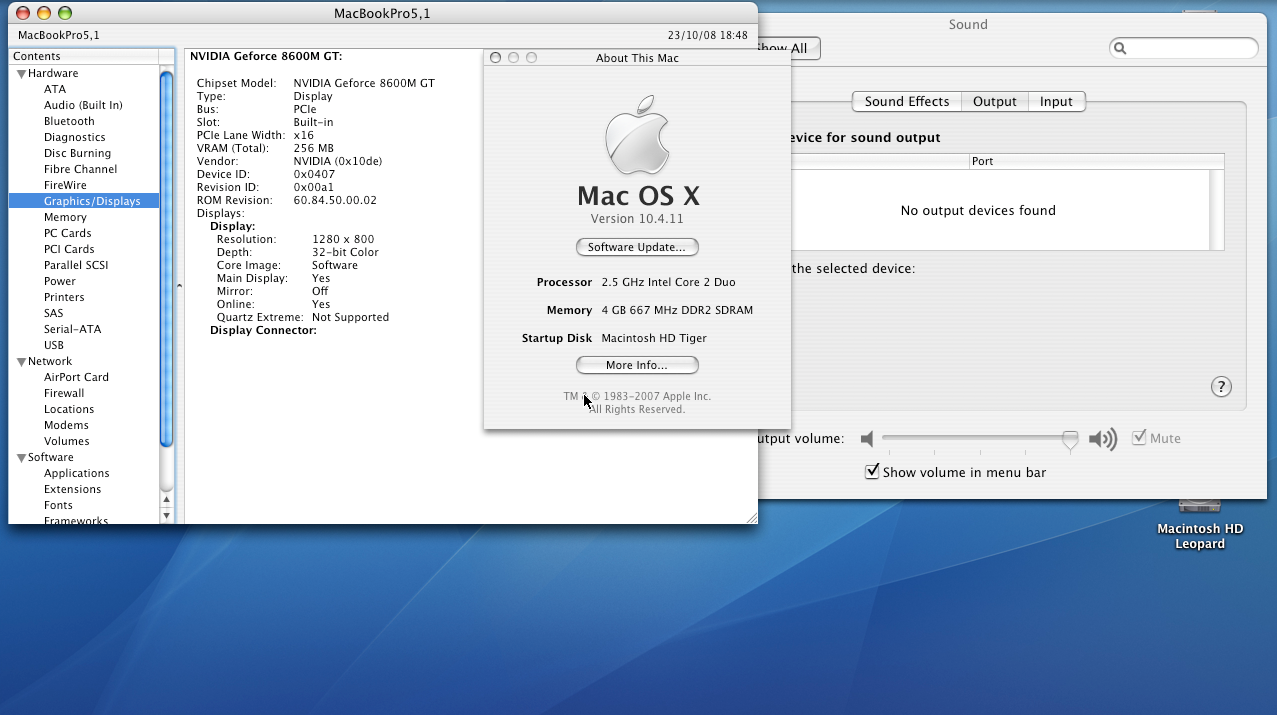
I am testing 10.4.11 Tiger on a Dell Inspiron 1520.
Is there any way to get Geforce 8600M GT graphics acceleration to work with 10.4.11 Tiger?
I am using a MBP3,1 recovery disk, so the necessary kext such as nvda50hal is installed.Specs:.
Dell Inspiron 1520, Core 2 Duo T9300, Geforce 8600M GT 256MB, 4GB RAM
STAC 9205: alcid=11
I am using Clover 5100.
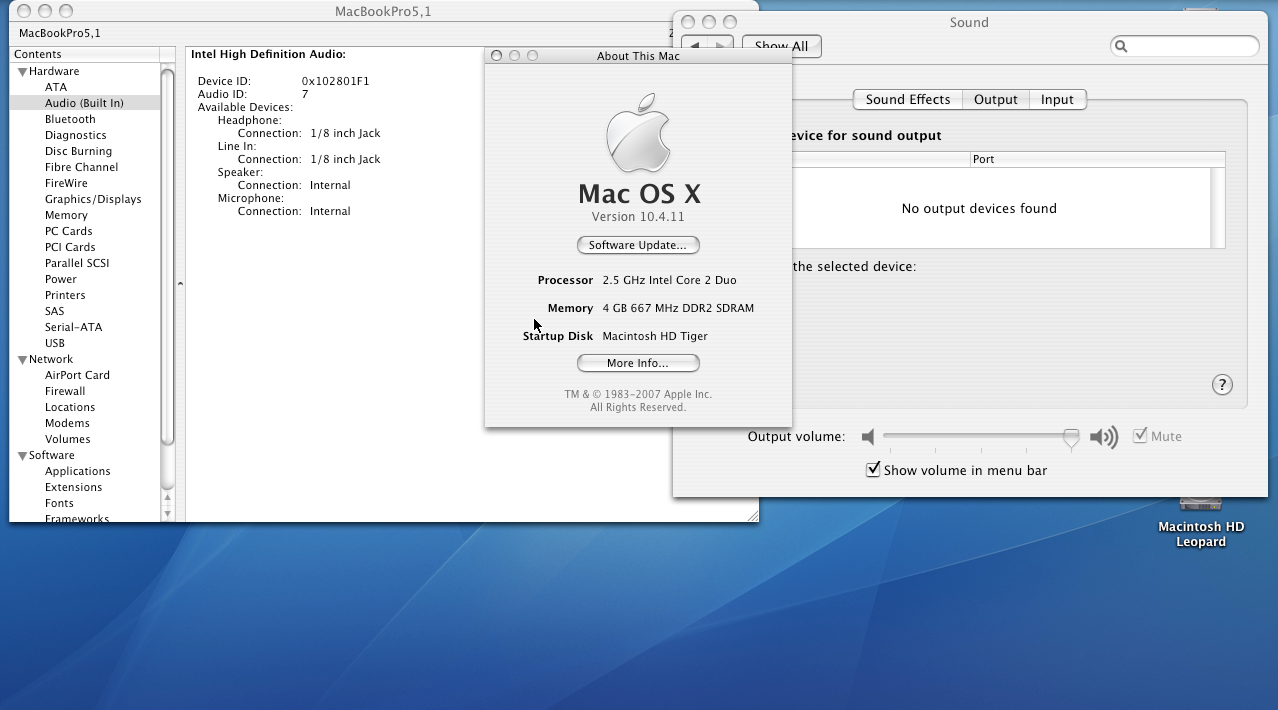
DSDT and Clover's Nvidia inject work fine with 10.5 Leopard or later.Also, AppleALC does not work.
Tested with both codecs created by goldfish and my modified AppleALC.It is recognized in the system profile but not in the sound settings.
I am struggling because the information about Tiger is very out of date.
It works fine on 10.5 Leopard and later.
Additionally, Mac OS does not work shutdown.
The _PTS SLPE method does not work on the Inspiron 1520.
This has not been resolved in over 10 years.Partial Fix for Shutdown Issue
It seems that at least about 15 seconds-30 seconds of Sleep is necessary.
Sleep(0x10) or Sleep(0x16) does not function at all.
The power does not turn off; only the fan continues to spin.in _PTS
SpoilerIf (LEqual (Arg0, 0x05))
{
Store (Zero, SLPE)
Sleep (0x2710) // 10sec
Sleep (0x2710) // 10sec
Sleep (0x251C) // 9.5sec
}10.5: works, but it is necessary to wait about 30 seconds to 1 minute. or freezes
10.6: works, but it is necessary to wait about 30 seconds to 1 minute. or freezes
10.7: works, but it is necessary to wait about 30 seconds to 1 minute. or freezes
10.8: sometimes works, or reboots, or freezes
10.9: reboots or freezes
10.10: sometimes works
10.11: reboots
10.12: reboots
10.14: freezesOS versions from 10.4 Tiger to 15 Sequoia are installed, but testing has been done up to 10.11.
If stability can be achieved up to 10.11, I would like to proceed with testing the subsequent OS versions.Fix second sleep cycle issue
in _WAK
Please insert the following line immediately before the final Return statement:
Store (Zero, SLPX)
Example of where to place it:
SpoilerStore (Zero, SLPX) // <-- Insert this line here
Return (Package (0x02)
{
Zero,
Zero
})Fix Brightness control slider
By adding the following code snippet, ACPIBacklight.kext or GenericBrightness.kext will function:
SpoilerIf (LOr (_OSI ("Darwin"), _OSI (WLG)))
{
Store (0x20, MIS3)
}However, on OS versions 10.9 and later, waking from sleep will fail.
If you are willing to sacrifice the sleep function for brightness control, this fix works from 10.6 through 10.15.For 10.12.4 up to 10.14, you can install the patch using the Mojave Patcher.
For 10.15, you must manually replace the display-related files with those from 10.14.
For OS version 11 (Big Sur) and later, you can apply the OCLP (OpenCore Legacy Patcher) root patches.
Note: The OCLP backlight patch will only install if the SMBIOS is set to MacBook5,2, iMac7,1, or iMac8,1. Please temporarily change the SMBIOS configuration to apply the root patch.
Continued notes on Brightness Control (OS 11+)
It appears that ACPIBacklight.kext and GenericBrightness.kext do not support adjustments made within the Control Center in OS version 11 (Big Sur) and later.
Furthermore, adjusting the brightness via the main System Preferences/Settings panel also presents glitches/issues.Installed Tiger via VMware Fusion from recovery disk for MacBookPro3,1.
Tested by restoring the image to HDD.My modified AppleALC
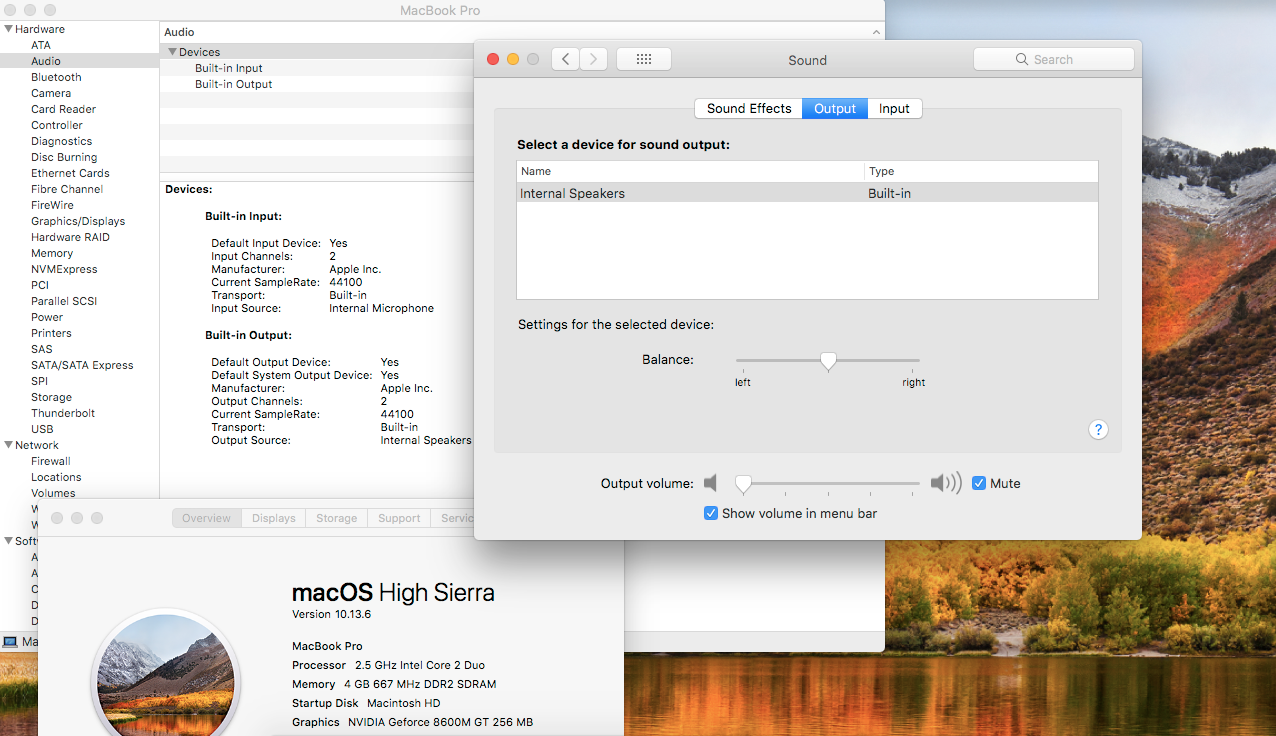
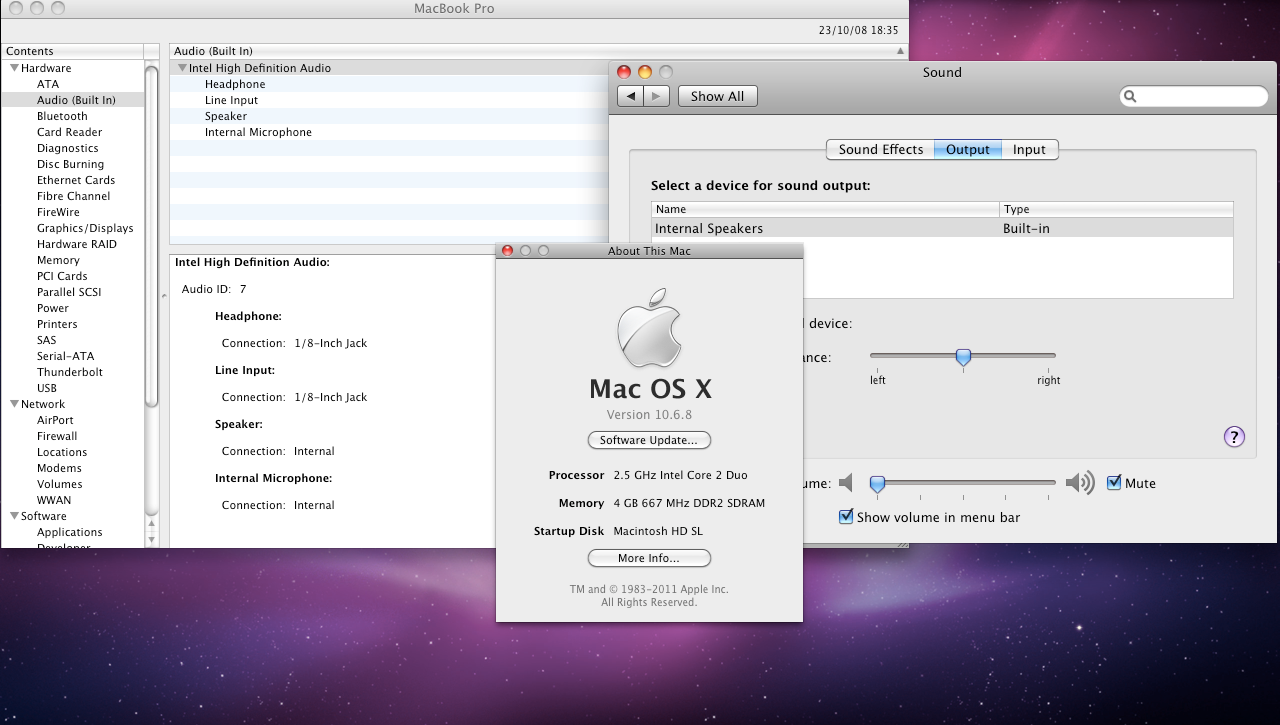
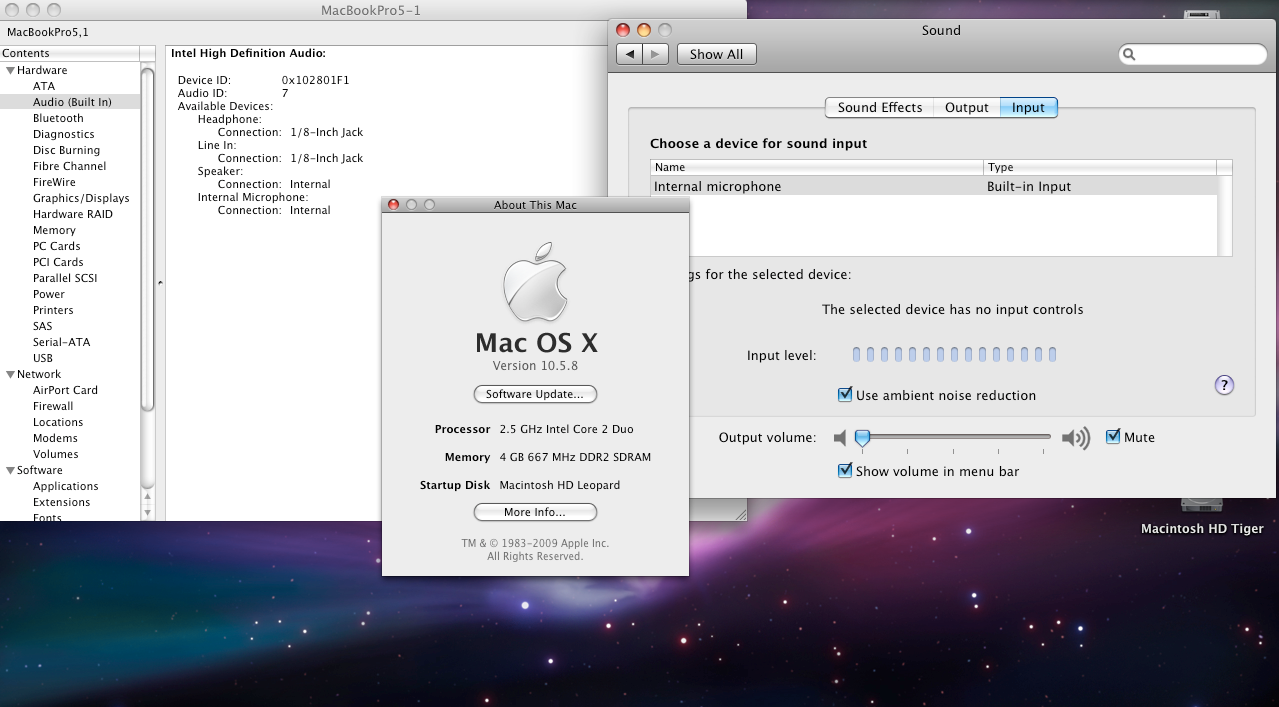
Tested with Work on 10.5.8 Leopard, 10.6.8 Snow Leopard -32bit and 64bit, 10.13.6 High Sierra.In the future I plan to make it an archiving machine with Windows 7 to 11 and Mac OS 10.4 to 10.13 installed on a 2TB SSD.
-
Specs:
- Core i7-10610U
- UHD 620
- 13.3 FHD
- 16GB RAM
- Intel AX201
- ALC295/ALC3254
macOS Monterey 12.6.3
AppleALC: change id=77/Realtek ALC295/ALC3254 for Dell Latitude 5290.
5310 uses the same codec as 5290. Native fixed jack noise and high CPU usage.AlpsHID: Changed PTP test version to release version 1.2
fixed some problems.Add CPUfriend: test CPUFriendDataProvider.kext from CPUFriendFriend command
800MHz,0xBF,0x08SSDT cleaning up: partially
delete SSDT-AC.aml, add SSDT-RHUB.aml
config cleaning up: partially
Intel Power Gadget
Power PKG idle: 1.48-1.57WBattery test: web browsing, document editing, config cleaning, ssdt cleaning
100%-5%:4.3h -
no lag, no jumping, no skipping
-
-



Dell Inspiron 1520: Shutdown Fix
in Other Dell laptops
Posted
There were no major differences in the DSDT.
There were only minor discrepancies, such as the _CRS values for Device (PCI0) and the presence or absence of Gigabit LAN on RP06.
I’ll continue investigating to see if there’s anything else that can be done.