



EMlyDinEsH
-
Posts
1102 -
Joined
-
Last visited
-
Days Won
196
Content Type
Profiles
Articles, News and Tips
Forums
Posts posted by EMlyDinEsH
-
-

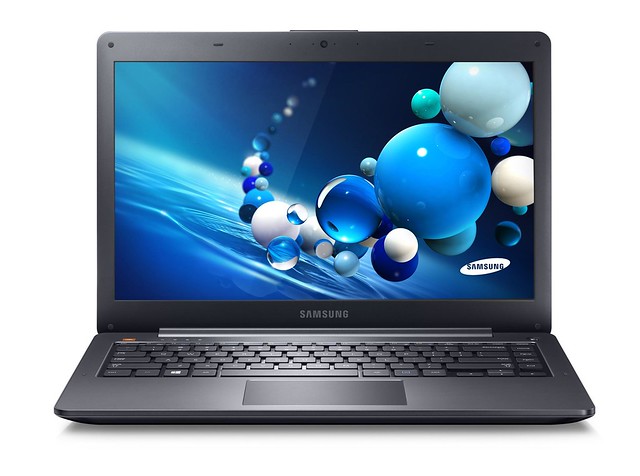
Specifications:Processor : Intel® Core™ i5-3337U Processor (3M Cache, up to 2.70 GHz) Graphics Processor(GPU) : Intel® HD Graphics 4000 Chipset : Intel® HM76 Express Chipset Hard disk : Samsung 128GB SSD RAM : 4GB DDR3 Wifi : Intel Centrino Advanced-N 6235 WiFi Adapter Bluetooth : Intel Centrino Advanced-N 6235 Integrated Bluetooth 4.0 Ethernet : Realtek RTL8168/8111 PCI-E Gigabit Ethernet Adapter Audio : Realtek® High Definition Audio ALC269VC USB 3.0 : Intel Panther Point PCH - USB 3.0 xHCI Controller Touchpad : Elan Touchpad v4 Hardware Webcam : WebCam SC-10HDP12631N 1.3MP Card reader : Realtek USB2.0 card reader Monitor : 13.3 LED 1920x1080 Optical Drive : None Battery : 4Cells 57 Whrs Interface : 1 x Microphone/Headphone combo jack 1 x VGA Mini 2 x USB 2.0 port(s) 1 x USB 3.0 port(s) 1 x RJ45 LAN Jack for LAN insert 1 x HDMI
Working:
Graphics with QE/CI on Intel HD4000 GPU
Audio with AppleHDA
Bluetooth
Ethernet
USB2.0 and USB3.0
HDMI (With Audio)
Webcam
Battery
Elan Touchpad with multi touch
Sleep, Processor P&C-States with Native power management
Not working:
Intel Centrino Advanced-N 6235 WiFi
Realtek USB2.0 card reader
Unknown:
VGA
Issues:
USB devices not working properly after sleep.
Brightness control is not working
For Installation:
Follow the Steps in the link below, starting with Pre installation, Installation and Post Installation:
http://www.osxlatitude.com/edp/documentation/pre-installation/ -
Hello EMlyDinEsH I wanted to thank you for your magnificent work with this driver but I'm having a problem, does this driver supposed to work only in verbose mode cause that's the only way i can get it working. Thanks in advance
What is notebook model and your touchpad hardware version? Send me your system log and an ioreg file so i can take a look.
Hi Dinesh...
After getting the scroll work and using it for couple of days, I now see another issue with the driver. Keyboard and mouse stop working after wake from sleep and this happens for me 3-4 times a day. And also after logout and wake from sleep, when I press the key to enter password then automatically the key strokes are entered in password field without pressing any key.
Many Thanks
Well, sleep issue could be related to OSX power management issues which might have took long time to restore from sleep and my driver might have failed to enable the touchpad. Try the new version i'm going to release today and let me know.
-
on my acer 5750G Elan V3
horizontal scrolling in Launchpad, it is bad
Well, horizontal scroll is not bad in launchpad and its because of inertia scroll effect. So, if you scroll fast/big (or) disable inertia effect then you won't see little lag. Seems like so many people are not happy with this effect in launchpad. Will try provide an option to disable inertia for horizontal scroll(will be disabled by default in next version) and its not possible to disable this effect on context based in my driver due to lack of API.
-
hi, EMlyDinEsH,
my 2 cents, again. Device ASUS BCM20702A0 (Azurewave CE123H)
i tried to use v. 2.1.1 and 2.2 beta without modification, but without success. BT seems as works, but not pairing with my mouse, system profiler shows
Firmware version: v14 c4096.
when i rebooted from Win, profiler shows Firmware version: v14 c5446.
When i changed vendor id and prod id values in info.plist for BCM-AzureWave-CE123H-3404-13d3 or to 6095/2821 (Or Dell or ASUS usb Dongle usb bt400 ), previously removed asus sections 17cf and 17cf-2 card start working fine after reboot and start, (i install kext with kext utility 2,5,6) in this cases profiler shows Firmware version: v14 c5452.
But in all cases after sleep profiler shows Firmware version: v14 c4096. and BT not works.
i tried uploader v 1.5 (found in my archive) with modification IOBluetoothFamily.kex but have same result. after sleep log contains string firmware already patched and results like v2 shutdown/reboot works with FW 5xxx and after sleep not works with v14 c4096.
thanx
Well, i have checked your log and its loading fine at boot but after sleep its been interrupted by the IOBluetoothxx kext which is taking priority and loading quickly. Firmware upload needs some time to finish the job but the Apple bluetooth kexts are loading fast. So, i need to debug this to find a solution. PM me for beta testing.
-
Incredible! Thank you so much, sir! Please let me know whatever information you need! I've tried all the guides I've encountered online and I just get stuck on some part whenever I try to follow them. Some are outdated, some very hard to understand and follow. I really appreciate you helping me sir. You have no idea. Thank you so much!
UPDATE:
codec_dump.txt.svg: http://www.mediafire.com/download/ne2d7w552dv61zq/codec_dump.txt.svg
codec_dump_dec.txt.svg: http://www.mediafire.com/download/annltsn4a9f2n6i/codec_dump_dec.txt.svg
These might be helpful. I got all these from the previous guides I followed.
Here are your corrected parts:
SPK: 0x0d -> 0x14 EAPD
10 01 17 90
HP: 0x0b -> 0x13 EAPD
1f 10 21 04 -> 40 10 21 04
MIC: 0x11 -> 0x17 -> 0x15
30 01 a3 d5 -> 30 01 a0 90
EMIC: 0x0c -> 0x18 -> 0x16
20 10 a1 04 -> 20 10 81 04
Use this info and follow my guide to get other things fixed. If you still have any problems then let me know.
-
 1
1
-
-
Why can't you use touchpad? Try the Generic ApplePS2Controller from myHack Extra for getting it working as Mouse .
-
EMlyDinEsH, are you planning to release the source code for this project? Would be glad to take a look at how things work behind the scenes.
I will when i'm done with everything i planned. Already i have released my initial version which only supports v3 in github.
-
The brightness v1.1 sometimes works, but it's a gamble. The script loads every time, but the issue is that sometimes the screen turns a bright black after the login screen, so I cannot see anything but the black screen. I would recommend incorporating a brightness level in the script such as ".5,.6.7..." if you already haven't.
I tried your suggestion of replacing the files and I managed to get the battery to work, but the DSDT does not allow my system to boot, so I deleted it. I applied your Asusfnkeys.kext driver, and it claims to have loaded in verbose mode, but it doesn't work after booting. I cannot apply your patches to my DSDT because my DSDT contains 13 errors.
PM me with the details of your issues and specifications so i can help you.
-
asus n56
F11 F12 failed, voodoops2 is better
What you mean F11 F12 failed? My keyboard driver has so many customizations and features integrated, so i suggest you to read my keyboard features thread to better understand to use them.
-
Specifications:Processor : Intel® Core™ i7-2630QM Processor (6M Cache, up to 2.90 GHz) Graphics Processor(GPU) : Intel® HD Graphics 3000 & NVIDIA® Optimus™ GeForce® GT 540M Chipset : Intel® HM65 Express Chipset Hard disk : Samsung 500GB 5400rpm HDD RAM : 8GB DDR3 1333 MHz SDRAM Wifi : Broadcom BCM4313GN 802.11b/g/n 1x1 Wireless Network Adapter Bluetooth : Broadcom BCM2070 Bluetooth 3.0 + HS USB Device Ethernet : Realtek RTL8168/8111 PCI-E Gigabit Ethernet Adapter Audio : Realtek® High Definition Audio ALC269VB USB 3.0 : Renesas USB 3.0 eXtensible Host Controller Touchpad : Elan Touchpad v3 Hardware Webcam : WebCam SCB-1100N Card reader : Unknown Monitor : Samsung LTN140AT22C01 [14 LCD] HD 1366x768 Optical Drive : TSSTcorp CDDVDW TS-L633J Battery : 6Cells 5200 mAh 57 Whrs Interface : 1 x Microphone-in jack 1 x Headphone-out jack 1 x VGA port/Mini D-sub 15-pin for external monitor 2 x USB 2.0 port(s) 2 x USB 2.0 port(s) 1 x RJ45 LAN Jack for LAN insert 1 x HDMI
Working:
Graphics with QE/CI on Intel HD3000 GPU
Audio with AppleHDA
Bluetooth
Ethernet
USB2.0 and USB3.0
VGA and HDMI (With Audio)
Webcam
Optical Drive
Battery
Elan Touchpad with multi touch
Sleep, Processor P&C-States with Native power management
Not working:
Nvidia Optimus GT525M Graphics Switching
Broadcom BCM4313GN 802.11b/g/n 1x1 Wireless Network Adapter
Card reader
Unknown:
None
Issues:
None
For Installation:
Follow the Steps in the link below, starting with Pre installation, Installation and Post Installation:
http://www.osxlatitude.com/edp/documentation/pre-installation/ -
Specifications:Processor : Intel® Core™ i7-2630QM Processor (6M Cache, up to 2.90 GHz) Graphics Processor(GPU) : Intel® HD Graphics 3000 & NVIDIA® Optimus™ GeForce® GT 540M Chipset : Intel® HM65 Express Chipset Hard disk : Seagate 500GB 7200rpm HDD RAM : 4GB DDR3 1333 MHz SDRAM Wifi : Atheros AR9285 802.11b/g/n Wireless Network Adapter (Atheros AR5B195 Combo) Bluetooth : Atheros AR3011 Bluetooth™ V3.0+HS (Atheros AR5B195 Combo) Ethernet : Realtek RTL8168/8111 PCI-E Gigabit Ethernet Adapter Audio : Realtek® High Definition Audio ALC269VB USB 3.0 : None Touchpad : Elantech Touchpad v2 Hardware Webcam : USB2.0 UVC 2M WebCam Card reader : Unknown Monitor : WXGA 15.6 16:9 HD1366x768 Optical Drive : HL-DT-ST DVDRAM GT33N Battery : 6Cells 5200 mAh 56 Whrs Interface : 1 x Microphone-in jack 1 x Headphone-out jack 1 x VGA port/Mini D-sub 15-pin for external monitor 3 x USB 2.0 port(s) 1 x RJ45 LAN Jack for LAN insert 1 x HDMI
Working:
Graphics with QE/CI on Intel HD3000 GPU
Audio with AppleHDA
WiFi
Bluetooth
Ethernet
USB2.0
VGA and HDMI (With Audio)
Webcam
Optical Drive
Battery
Elan Touchpad with multi touch
Sleep, Processor P&C-States with Native power management
Fn Hotkeys
Not working:
Nvidia Optimus GT540M Graphics Switching
Unknown:
Card reader
Issues:
None
For Installation:
Follow the Steps in the link below, starting with Pre installation, Installation and Post Installation:
http://www.osxlatitude.com/edp/documentation/ -
Specifications:Processor : Intel® Core™ i3-2330M Processor (3M Cache, 2.20 GHz) Graphics Processor(GPU) : Intel® HD Graphics 3000 & NVIDIA® Optimus™ GeForce® GT 610M Chipset : Intel® HM65 Express Chipset Hard disk : Hitachi 640GB 5400rpm HDD RAM : 6GB DDR3 1333 MHz SDRAM Wifi : Atheros AR9285 802.11b/g/n Wireless Network Adapter (Atheros AR5B195 Combo) Bluetooth : Atheros AR3011 Bluetooth™ V3.0+HS (Atheros AR5B195 Combo) Ethernet : Atheros AR8151 PCI-E Gigabit Ethernet Controller Audio : Realtek® High Definition Audio ALC269VB USB 3.0 : ASMedia ASM1042 USB 3.0 xHCI Controller Touchpad : Elan Touchpad v3 Hardware Webcam : Asus VGA Webcam (Alcor Micro, Corp) Card reader : Realtek USB2.0 Card reader (PID: 0x0139) Monitor : LG Philips LP156WH2-TLAA WXGA 15.6 16:9 HD1366x768 Optical Drive : Matshita DVD Writer Battery : 6Cells 5200 mAh 56 Whrs Interface : 1 x Microphone-in jack 1 x Headphone-out jack 1 x VGA port/Mini D-sub 15-pin for external monitor 1 x USB 3.0 port(s) 3 x USB 2.0 port(s) 1 x RJ45 LAN Jack for LAN insert 1 x HDMI
Working:
Graphics with QE/CI on Intel HD3000 GPU
Audio with VoodooHDA
WiFi
Bluetooth
Ethernet
USB2.0 and USB3.0
VGA and HDMI (With Audio)
Webcam (Using CamTwist App)
Optical Drive
Battery
Elan Touchpad with Multi touch
Sleep, Processor P&C-States with Native power management
Fn Hotkeys
Not working:
Nvidia Optimus GT610M
Realtek USB2.0 Card Reader
Unknown:
None
Issues:
None
For Installation:
Follow the Steps in the link below, starting with Pre installation, Installation and Post Installation:
http://www.osxlatitude.com/edp/documentation/ -
i have installed it with kext utility in S/L/E/ in verbose mode i see the kext is loaded and sai started WMI
Sorry i did not get you. What you mean? What is your notebook model and problem?
-
Hello EMlyDinEsH,
Thank you very much for contributing to this community of people. You have helped solve my issue with my touchpad with your Elan Touchpad driver. The only issue at this point is my Brightness. When I use your brightness script, it works only sometimes. Is it possible to create a script like clover's to enable BacklightBrightness at boot? It is the screen brightness and the keyboard backlight that I am having trouble with.
I tried to apply your Haswell patches on my Asus Zenbook UX302, but there are errors in both DSDT editor and iMacASL. Here is my DSDT:
brightness script v1.1 is not working? it works but the brightness changes with little after boot. Tell me the problem with that script so i can look or solutions.
I've already helped a user with haswell in dsdt patches and its working very well. So, try to use the files from this thread: https://osxlatitude.com/index.php?/topic/5974-mavericks-1091-hm87-iris-5100-asus-ux301la/?p=32332 which is very similar to your as i've checked your dsdt.
-
I tried the 2.2beta, everything seems to be ok, even my keyboard switch can turn on/off the BT hardware.
But it just can't work with my keyboard, mouse or trackpad. I think the firmware doesn't upload.
there's the log, I can't find anymore useful info, how can I get more debug session info for it ?
Its very strange issue with your device id's, so i need to debug and see where it stops working with my kext. PM me for details on debug session.
-
Any one, can help me for pin config, layoutXX.xml and platform.xml
ALC662
https://www.mediafire.com/download/60jqqh62zo2o8h6/ALC662_codec_dump.zip
I desperately need your help. For the life of me, I just can't, no matter how hard I try, understand how to correct the values. I've read the notes multiple times and my mind just can't comprehend how it works out. I just had to check if I'm doing this correctly. I'm currently stuck at Chapter 1, Part 2, Section 2:Extracting the verb data. I have the following information:
Update:
Here are links to my codec dumps:
Will try to take a look at your dumps and let you know asp as I'm busy right now so try to give a remind after a week if you don't get reply.
Thank you for your guide! It works nice on Realtek ALC270.
I enabled everything but the Internal Microphone doesn't work, it records only white noise! Can someone help me?
Send me your codec dump so i can take a look at it.
-
hi
i have a problem with fn hotkey and backlight keyboard with my N550JV...if i use clover from a pen drive everything work but after installing clover with the same config.plist, same folder ecc... the keyboard and fn doesn't work, i see in verbose mode the hotkey load but i doesn't have backlight and key working...do you know to fix this?
Sorry, don't much much about clover but this could be cache related issues. So, try to install my kext to SLE using kext utility and see.
-
Hi Dinesh
Firstly, thanks for the elan touchpad driver. I'm using it on one of my laptops (Acer 5755G). I've problem with scrolling as nothing works when I do edge or two finger scroll. Please consider the issue and let me know if there is a way to fix.
Many Thanks
Well, for scrolling you need to change scroll speed value once after installing my driver to work and also try to enable SlowSynch scroll to Yes to get it working as this makes only fast swipes to do scroll.
-
emlydinesh you're awesome! I signed up for this forum just to tell you that. I have an asrock z87e-itx that was shipped with a bcm4352, and while 2.1 bt uploader did not work, the 2.1.1 worked. I've only tried it with a ps3 remote but nothing up until now has worked for me. I am on Mavericks 10.9.1 and using clover to boot.
Glad its working very well. can you please test the 2.2beta kext?
-
I have tried the V2.2beta, I noticed that the Info.plist have been modified for the BCM4352(my BT is Dell DW 1550 BCM 94352HMB)
But after install the driver, the bluetooth doesn't work
, I only works with the hacked one(https://osxlatitude.com/index.php?/topic/2925-bluetooth-firmware-uploader/page-4&do=findComment&comment=33737).I think there should still have some bugs.
Its strange, only with your Dell vendor and device id its acting weird don't why. Can you send me your system log with 2.2beta kext with a clean boot? Also PM me if its possible for a debug session with me in Skype (Already replied to your last PM).
-
Thanks a lot Dinesh
Now I got almost everything working, except WiFi toggle. I can turn it off but cant toggle it back on.And could you please let me know what code changes have you done for function keys and what all other patches u applied.Tanx Again
Patches needed for the fn keys are there in my Fn keys driver post. So, try the Wifi patch from there and see. I've applied every other generic patch which is needed for your notebook, for details on some of the patches you can check them http://olarila.com/Patches and compare your original with my patched version to get the changes i made.
-
hello my usb dongle is a asus usb-bt400 this is the info
BCM20702A0:
ID del producto: 0x17cb
ID del fabricante: 0x0b05 (ASUSTek Computer Inc.)
Versión: 1.12
Número de serie: 000272C94309
Velocidad: Hasta 12 Mb/s
Fabricante: Broadcom Corp
ID de la ubicación: 0x1a140000 / 5
Corriente disponible (mA): 500
Corriente necesaria (mA): Desconocido (dispositivo no configurado)
how can i install your kext? my osx is niresh 10.9.1
thank you very much
I've added your bluetooth id's to my 2.2beta kext, so install(use kext utility) beta kext from the first post and let me know.
-
Hi all.I have a Lenovo Z500, which this model has an Elan touchpad v4.Initially, I used the VoodooPS2 kexts, which gave me working keyboard. Naturally no pad.Using your 3.0.2 kexts, I can get a working pad... but no keyboard!The logs repeat this several times:02/01/2014 16:33:49.000 kernel[0]: ApplePS2Controller: Timed out on keyboard input stream.02/01/2014 16:33:49.000 kernel[0]: ApplePS2Keyboard: probe failed, retry 2
And natually, I cannot drop the Voodoo kexts back in without a KP.
Any ideas? Any more info you need?
Regards.
next version has some changes to keyboard problems so try that and let me know.
-
Hello,The magic mouse seems to conflict with the touchpad driver version 3.3 because, sometime, the cursor moves suddently to the left-top corner when the mouse is used. By the way, i have no problem using a 2.X version.
Strange, test this in the new version which i'm going to release in few days and let me know again plz.
As posted on the main thread, my issue was fixed by recompiling the Keyboard kext to always success on probe.
What you mean?


 , I only works with the hacked one(
 Now I got almost everything working, except WiFi toggle. I can turn it off but cant toggle it back on.And could you please let me know what code changes have you done for function keys and what all other patches u applied.

Samsung NP740U3E
in The Archive
Posted
Reserved