
Hervé
-
Posts
10098 -
Joined
-
Last visited
-
Days Won
569
Content Type
Profiles
Articles, News and Tips
Forums
Everything posted by Hervé
-

Compaq Presario SR5310F: White square after verbose on Lion
Hervé replied to Lost-Entrepreneur439's topic in The Archive
https://osxlatitude.com/forums/topic/8238-supportedunsupported-gpus-graphics-cards https://osxlatitude.com/forums/topic/11160-useful-links-for-lists-of-best-graphics-cards-2024 https://dortania.github.io/GPU-Buyers-Guide/legacy-gpus/legacy-nvidia.html https://dortania.github.io/GPU-Buyers-Guide/legacy-gpus/legacy-amd.html Get a good old GeForce G210 and you'll be good to go. -
Compaq Presario SR5310F: White square after verbose on Lion
Hervé replied to Lost-Entrepreneur439's topic in The Archive
I'd say the bootpack is totally inadequate for old Lion. I suggest/recommend you look up old threads with bootpacks for old and obsolete GMA950 computers. I doubt lilu & its PlugIns are of any use in Lion for old GMA950 graphics. SSDT-EC, that's for Catalina & later... Lion needs replacement of AppleACPIPlatform kext by that of Snow Leopard's origin or you'll get a KP. I expect you'll also need the patched AppleRTC kext and you may need the patch Intel (GMA) framebuffer kext to fix a brightness issue that used to affect most GMA950 Hacks. Lion need to boot in 32bit kernel mode or you won't have graphics acceleration but you know that and did setup OC in i386 kernel mode. I'd forget OpenCore and use good old Chameleon with myHack tool to make your USB installer. You're the one who published a version that was modified to run on macOS versions. Put an old AMD HD2000/3000/4000/5000/6000 series or nVidia Tesla series PCIe graphics card in this old desktop and you should be able to run OS X El Capitan. You may not do much with El Capitan but you sure won't do anything with Lion which is totally deprecated/obsolete. -
[Solved] Thinkpad x390: HDMI output not working
Hervé replied to pawan2joy's topic in Lenovo systems
IOReg with HDMI plugged in please. I take it you do reset NVRAM when you reboot after changing your config, right? -
[Solved] Thinkpad x390: HDMI output not working
Hervé replied to pawan2joy's topic in Lenovo systems
Then you may want to retry without the fbmem/stolenmem injections. You never know, your laptop may be set with 64MB or more of DVMT. Do that with a USB key as you don't want to break your Hack. -
[Solved] Thinkpad x390: HDMI output not working
Hervé replied to pawan2joy's topic in Lenovo systems
Again, I recommend you remove all that crap you've got for the connectors and stick to the 2 lines I posted above. At this stage, your HDMI screen does not even appear in IOReg which can't be a surprise. For the rest, it would appear you followed the Dortania recommendations, at least as far as the OC configs concerned.
-
[Solved] Thinkpad x390: HDMI output not working
Hervé replied to pawan2joy's topic in Lenovo systems
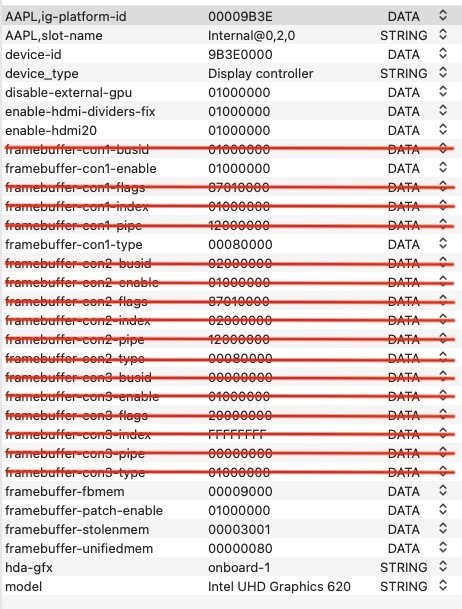
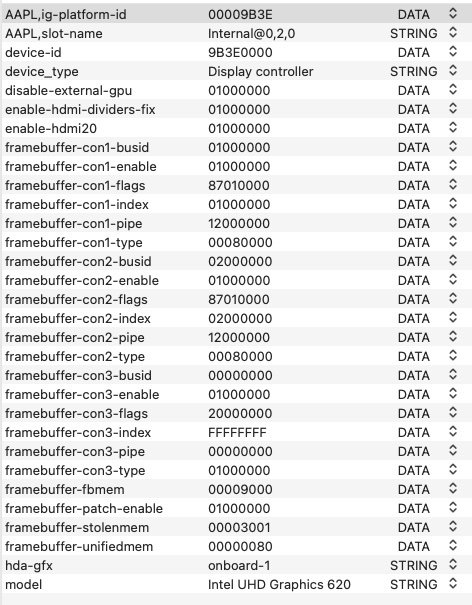
The graphics properties you inject look overly complicated to me; I'd be surprised if you need more than a third of them. You've opted for CFL framebuffer 0x3E9B0000: ID: 3E9B0000, STOLEN: 57 MB, FBMEM: 0 bytes, VRAM: 1536 MB, Flags: 0x0000130B TOTAL STOLEN: 58 MB, TOTAL CURSOR: 1 MB (1572864 bytes), MAX STOLEN: 172 MB, MAX OVERALL: 173 MB (181940224 bytes) Model name: Intel HD Graphics CFL CRB Camellia: CamelliaDisabled (0), Freq: 0 Hz, FreqMax: 0 Hz Mobile: 1, PipeCount: 3, PortCount: 3, FBMemoryCount: 3 [0] busId: 0x00, pipe: 8, type: 0x00000002, flags: 0x00000098 - ConnectorLVDS [1] busId: 0x05, pipe: 9, type: 0x00000400, flags: 0x00000187 - ConnectorDP [2] busId: 0x04, pipe: 10, type: 0x00000400, flags: 0x00000187 - ConnectorDP 00000800 02000000 98000000 01050900 00040000 87010000 02040A00 00040000 87010000 It's not the recommended framebuffer for laptops, the default (recommended?) one in the WEG user manual being 0x3EA50009: ID: 3EA50009, STOLEN: 57 MB, FBMEM: 0 bytes, VRAM: 1536 MB, Flags: 0x00830B0A TOTAL STOLEN: 58 MB, TOTAL CURSOR: 1 MB (1572864 bytes), MAX STOLEN: 172 MB, MAX OVERALL: 173 MB (181940224 bytes) Model name: Intel HD Graphics CFL CRB Camellia: CamelliaV3 (3), Freq: 0 Hz, FreqMax: 0 Hz Mobile: 1, PipeCount: 3, PortCount: 3, FBMemoryCount: 3 [0] busId: 0x00, pipe: 8, type: 0x00000002, flags: 0x00000098 - ConnectorLVDS [1] busId: 0x05, pipe: 9, type: 0x00000400, flags: 0x000001C7 - ConnectorDP [2] busId: 0x04, pipe: 10, type: 0x00000400, flags: 0x000001C7 - ConnectorDP 00000800 02000000 98000000 01050900 00040000 C7010000 02040A00 00040000 C7010000 Maybe you can explain why: you opted for framebuffer 3E9B0000 you patch con1 in such a way you patch con2 in such a way you inject con3 properties in a framebuffer that has no such connector (and in which you do not even add this connector hence nothing in IOReg!) Personally, I'd have just changed connector con1 type to HDMI: framebuffer-con1-enable framebuffer-con1-type 00080000 so I recommend you start by removing all the non-sense you currently have for con1, con2 and con3. Note that injecting properties that bear the save values as the native ones is completely useless; though it does no harm of course, other than complicate a lot more your configuration. You also need to remove boot arg -igfxsklaskbl from your NVRAM settings; that's completely inadequate. It's for Skylake laptops and for an older version of macOS under very specific conditions. A total non-sense on your 10th gen (CML?) platform with UHD620 iGPU. It would be useful if you could specify the exact model of i7 CPU fitted in your ThinkPad x390. And if you have doubt about the connector linked to the HDMI output, please take an IOReg when your HDMI screen is connected to your laptop.
-
Updated for macOS Sequoia.
-
[Solved] Support for CSR8510 A10 bluetooth USB dongle in Sequoia?
Hervé replied to karahanzorbey's topic in Other
Did it work OOB or with an add-on driver in Sonoma? -
Compaq Presario 2500 - supported in OS X?
Hervé replied to Lost-Entrepreneur439's topic in The Archive
Answers available in our Hardware Technical Information section. Do search the forum/consult these sections before posting. https://osxlatitude.com/forums/topic/2998-platforms-compatibility-requirements-for-os-xmacos https://osxlatitude.com/forums/topic/8238-supportedunsupported-gpus-graphics-cards Not really worth the effort and time you'll have to put in it but if you really want to try and install one of those totally obsolete OS X versions (with which you won't do much) on your P4 dinosaur, the best you can hope for is Leopard. Don't expect much support if you require assistance, Tiger and Leopard are just too old and you'll have trouble finding people who know about it now. I very much doubt that your 22 years old AGP Rage6 ATI Radeon 345M will be supported but you never know... You can always check the device ids of the oldest supported ATI/AMD platforms in the relevant drivers of Leopard combo update to begin with. I expect it would be old ATIRadeon.kext. Your GPU id should be 1002:4337. You may also consult everymac.com and look for very ancient pre-Intel Apple Mac computers that may have been fitted with GPUs of that generation/family/architecture and the latest OS X version that supports them (probably Tiger 10.4.11) but know that the oldest 2006 Intel MacBook/MacBook Pro/iMac were fitted with Intel GMA950 and ATI X1600 GPUs. -
Dell Latitude 5290: screen resolution issue with USB-c output
Hervé replied to pulleyluke's topic in 5000 Series
Sorry that injecting EDID value did not work. You could also try experimenting with a different KBL frame buffer; like 0x59160000 or 0x591b0000. -
Dell Latitude 5290: screen resolution issue with USB-c output
Hervé replied to pulleyluke's topic in 5000 Series
Yes, that's what I was expecting. Your graphics config looks spot on. If you inspect the screen's EDID information, you will notice that the reported data differs between HDMI output and USB-c Dock output: HDMI: <00 ff ff ff ff ff ff 00 05 e3 78 27 d7 00 00 00 09 1b 01 03 80 3c 22 78 2a a5 95 a6 56 50 a0 26 0d 50 54 bf ef 00 d1 c0 b3 00 95 00 81 80 81 40 81 c0 01 01 01 01 56 5e 00 a0 a0 a0 29 50 30 20 35 00 55 50 21 00 00 1e 00 00 00 fd 00 32 4c 1e 63 1e 00 0a 20 20 20 20 20 20 00 00 00 fc 00 32 37 37 38 58 0a 20 20 20 20 20 20 20 00 00 00 ff 00 47 4a 4c 48 33 48 41 30 30 30 32 31 35 01 fc 02 03 1e f1 4b 10 1f 05 14 04 13 03 12 02 11 01 23 09 07 07 83 01 00 00 65 03 0c 00 10 00 02 3a 80 18 71 38 2d 40 58 2c 45 00 55 50 21 00 00 1e 01 1d 00 72 51 d0 1e 20 6e 28 55 00 55 50 21 00 00 1e 8c 0a d0 8a 20 e0 2d 10 10 3e 96 00 55 50 21 00 00 18 8c 0a d0 90 20 40 31 20 0c 40 55 00 55 50 21 00 00 18 00 00 00 00 00 00 00 00 00 00 00 00 00 00 00 00 00 00 00 00 00 00 00 00 00 6d> Dock (both): <00 ff ff ff ff ff ff 00 05 e3 90 27 64 1f 00 00 34 1c 01 04 a5 3c 22 78 3a 48 15 a7 56 52 9c 27 0f 50 54 bf ef 00 d1 c0 b3 00 95 00 81 80 81 40 81 c0 01 01 01 01 56 5e 00 a0 a0 a0 29 50 30 20 35 00 55 50 21 00 00 1e 00 00 00 fd 00 32 4c 1e 63 1e 01 0a 20 20 20 20 20 20 00 00 00 fc 00 51 32 37 39 30 0a 20 20 20 20 20 20 20 00 00 00 ff 00 47 51 4d 4a 43 48 41 30 30 38 30 33 36 01 9a 02 03 1e f1 4b 01 03 05 14 04 13 1f 12 02 11 90 23 09 07 07 83 01 00 00 65 03 0c 00 10 00 02 3a 80 18 71 38 2d 40 58 2c 45 00 55 50 21 00 00 1e 01 1d 00 72 51 d0 1e 20 6e 28 55 00 55 50 21 00 00 1e 8c 0a d0 8a 20 e0 2d 10 10 3e 96 00 55 50 21 00 00 18 8c 0a d0 90 20 40 31 20 0c 40 55 00 55 50 21 00 00 18 f0 3c 00 d0 51 a0 35 50 60 88 3a 00 55 50 21 00 00 1c 00 00 00 00 00 00 00 77> I would suggest you try and inject the HDMI EDID value as additional property in your graphics configuration. Target AAPL02,override-no-connect since this external screen should be 2nd display out of FB@2 and specify the EDID value as DATA type without any space between the bytes. Refer to the Whatevergreen user manual if need be. Can't remember if the AAPL0x unit digit must match the connector's number. You'll be able to check that out in IOReg after reboot (under FB@2->display->AppleDisplay). Can't be AAPL00 for sure as that would be your built-in screen. You may also try to patch connector con2 to HDMI type as per connector con1 though I'm not convinced this will take effect and change anything. -
Dell Latitude 5290: screen resolution issue with USB-c output
Hervé replied to pulleyluke's topic in 5000 Series
'tempted to say it's a likely EDID issue but you opted to post screenshots of your IOREg rather the IOReg themselves as asked. -
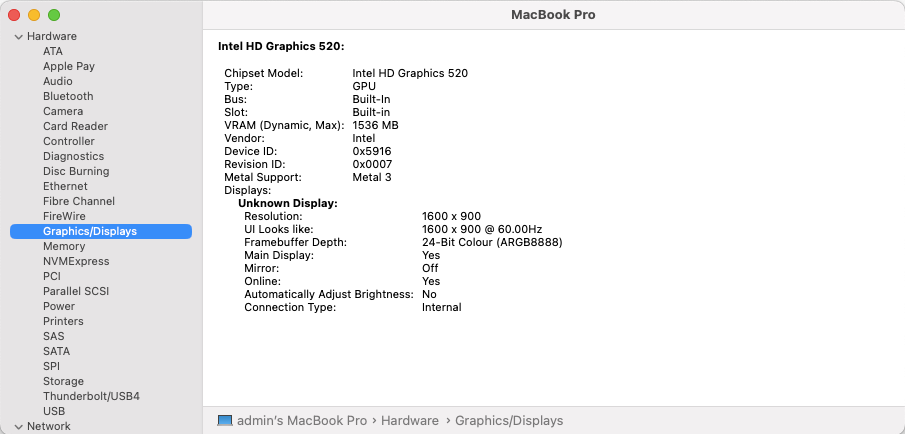
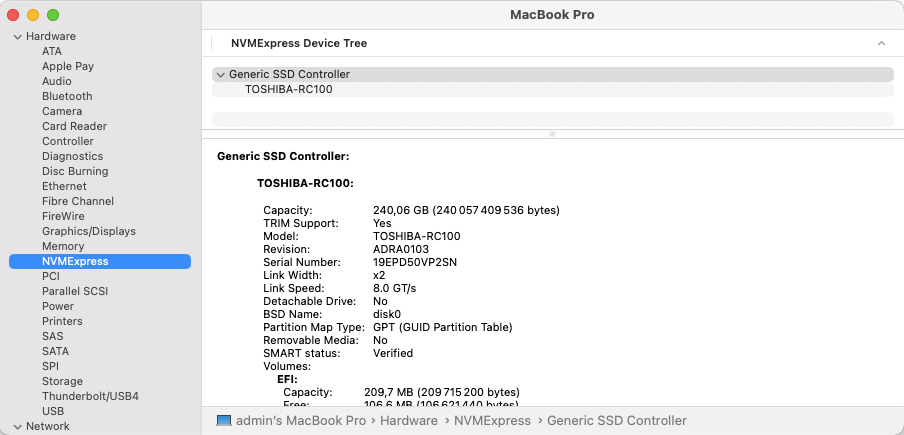
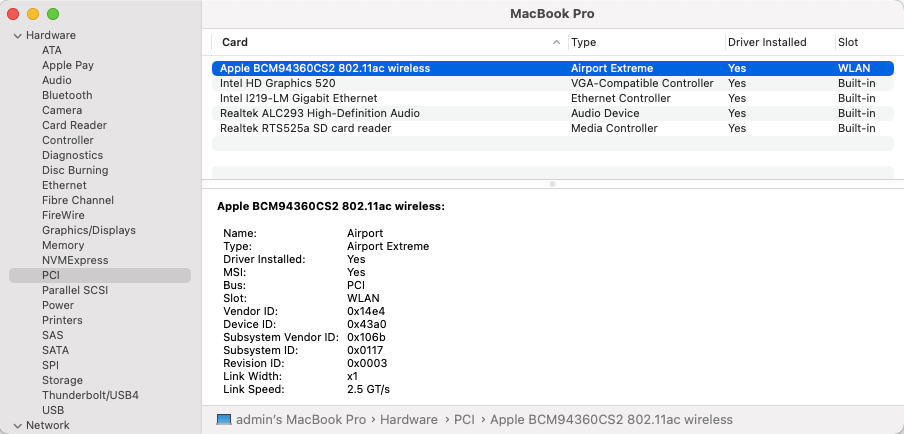
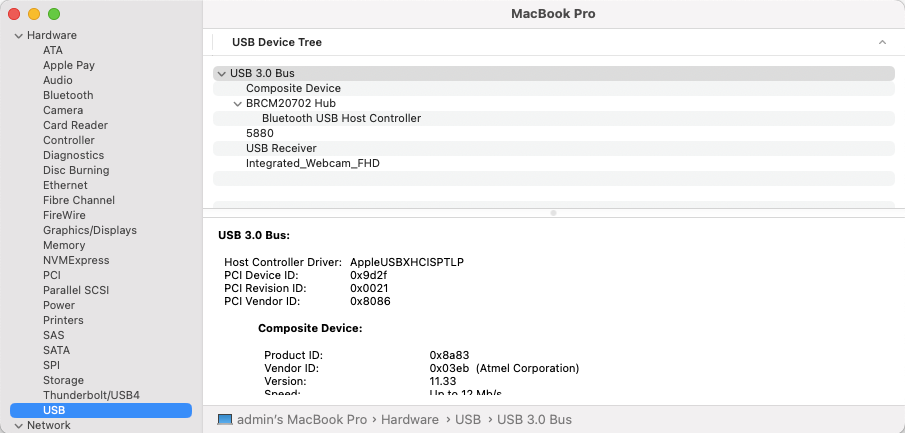
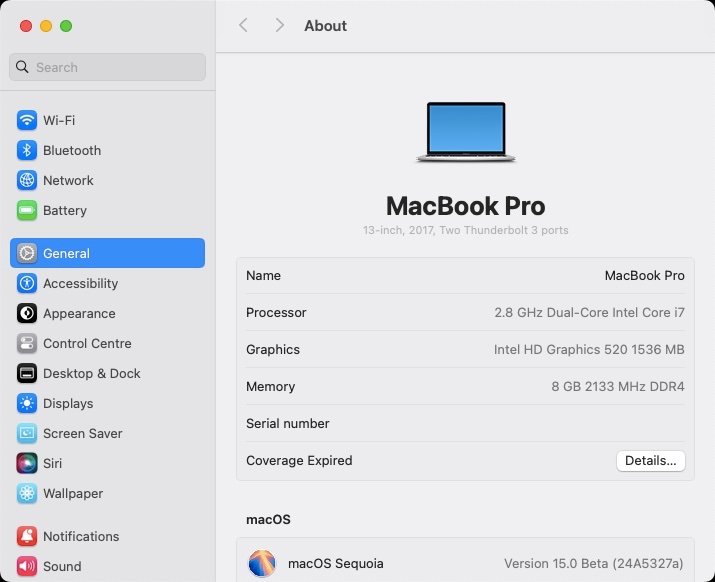
Target macOS release: Sequoia 15.x This is a Clover-based installation using the well-known/well documented vanilla method detailed below: Working: full QE/CI with HD520 graphics (with KBL layout 0x59160000, KBL faked id 0x5916, MBP15,2 SMBIOS and Lilu kext v1.6.8 + Whatevergreen kext v1.6.7 or later) HDMI output OOB but built-in LCD goes off on 1st cable connection. With WEG boot arg igfxonln=1, LCD picture is recovered after closing then re-opening the LID and HDMI is on at 1st boot & after wake mDP output OOB touchscreen with USB HID fix (patch of IOHIDFamily to fake single-user mode) due to Apple dropping support for old USB hardware full audio, including jack microphone input and headset output (with AppleALC kext & layout-id 11) HDMI audio (with KBL con1 connector-type patch) built-in Gigabit Ethernet (with IntelMausiEthernet kext) full CPU power management, including Turbo boost to 3.4GHz (with PlugIn type settings) sleep: Ok through Apple menu->Sleep, lid closure, power button, Fn-Insert and energy savings settings with hibernation mode set to 0 (sleep to RAM) and /var/vm/sleepimage file deleted. wake: Ok through lid opening and power button Wifi and bluetooth with any compatible card/USB dongle (see point #4 below re: support for Broadcom cards) battery management and monitoring (with ACPIBatteryManager kext) SD card reader (with 1Revenger1's RealtekCardReader kext) integrated webcam OOB keyboard backlight control OOB (for backlit models) audio volume control through Fn-F1/Fn-F2/Fn-F3 brightness control through Fn-F11/Fn-F12 touchpad basic features, incl. buttons (with Rehabman's modified VoodooPS2Controller kext; it has a Sequoia-specific VoodooInput Plugin) USB3.0 ports (with Hackintool's generated SSDT_USBX & SSDT_UIAC patched tables or USBPorts kext) Not Working: N/A Not tested: SmartCard reader With regards to Skylake/HD 520 graphics, same principles apply as for macOS Sonoma but make sure to update Lilu & PlugIns to latest versions: use of Kaby Lake framebuffer 0x59160000 (0x591B0000 may also be used but requires further graphics connectors patching) fake Kaby Lake HD620 iGPU id 0x5916 use Lilu v1.6.8 and Whatevergreen v1.6.7 minimum 1) 15.x USB installer creation Using a USB key of 16GB minimum, create a Sequoia USB installer through the following Terminal command: sudo <path>/Install\ macOS\ Sequoia.app/Contents/Resources/createinstallmedia --volume /Volumes/<USB key> where: <path> = location of Sequoia installation package (eg: /Applications if freshly downloaded) <USB key> = name of formatted USB volume (eg: USB_16GB) The process will take several minutes. Once completed: install Clover bootloader on the USB installer with the following customised settings: Clover for UEFI booting only Install Clover in the ESP UEFI Drivers Recommended drivers FSInject SMCHelper Human Interface Devices (optional) Ps2MouseDxe UsbMouseDxe FileSystem Drivers ApfsDriverLoader Memory fix drivers OpenRuntime Additional Drivers (optional) NvmExpressDxe PartitionDxe Themes (optional) BootLoaderChooser (optional) CloverConfigPlistValidator (optional) Install Clover Preference Pane (optional) you may use Clover version r5159 or later as attached below Clover_r5159.pkg.zip once Clover is installed, launch Clover Configurator app and mount the freshly created EFI partition of the USB installer (attached version supports BlockSkywalk kext patch) Clover Configurator.zip add the (unzipped) HFSPlus driver attached below to the EFI/CLOVER/drivers/UEFI folder HFSPlus.efi.zip open this EFI partition and transfer/copy the files & folders from the Latitude E7270 Sequoia Clover pack below to the EFI/CLOVER folder Clover_Bootpack_E7270_Sequoia.zip if support for legacy Broadcom wifi is required, download the latest OCLP app from its GitHub repo and save the package at the root of the USB installer. It'll be required to recover wifi support. 2) 15.x installation boot the Sequoia USB installer at the Clover main menu, select the "Install macOS Sequoia" partition (but don't press [ENTER]) press [SPACE], select -v verbose option in the menu, then choose to boot with the selected options proceed with installation, creating & formatting the target Sequoia installation through Disk Utility as/if required on 1st reboot, boot off the USB installer and select the freshly created "macOS install from <target Sequoia partition>" repeat this until this partition is no longer offered and only the target Sequoia partition is left to boot reboot the target Sequoia partition via your USB installer 3) Post-installation tuning once the target Sequoia partition has booted, complete the 1st boot configuration tuning once at the desktop, install Clover bootloader on the Sequoia partition/disk with the customised settings listed above once Clover is installed, launch Clover Configurator app and mount the freshly created EFI partition of the Sequoia partition/disk open this EFI partition and transfer the files & folders from the above Latitude E7270 Sequoia Clover pack to the EFI/Clover folder you may then reboot and verify that Sequoia boots off your disk through Clover at that stage, the E7270 will be running Sequoia without support for legacy Broadcom wifi 4) Adding support for legacy Broadcom wifi launch Clover Configurator app and mount the EFI partition of the Sequoia partition/disk add the kexts from the Legacy_Broadcom_Wifi pack below to the EFI/Clover/kexts/15 folder alongside the existing kexts. Legacy_Broadcom_Support_Pack.zip open up the Clover config in Clover Configurator and: check/enable the BlockSkywalk kernel & kext patch add -amfipassbeta boot arg add revpatch=sbvmm boot arg (to gain OTA updates though it's not available on systems with root patching) save the configuration reboot then install and launch the OCLP app proceed with root patching which should automatically detect that wireless networking requires patching after another reboot, Wifi off the legacy Broadcom cards will be fully functional again if in doubt, check this thread for detailed guidance Please note: If you've patched your BIOS to increase DVMT to 64MB (or more), you may remove the following iGPU patches from the Clover config (Devices section): framebuffer-stolenmem 00003001 DATA framebuffer-fbmem 00009000 DATA
-
Sonoma dropped support for all remaining Broadcom "legacy" cards that were supported up to Ventura, this including those based on BCM4360 chipset family. See our 2023 home page articles + Articles/News/Tech/Our Picks threads + Wireless cards inventory about this. https://osxlatitude.com/forums/topic/18228-macos-sonoma-140-beta-1-early-feedback-and-findings https://osxlatitude.com/forums/topic/19519-macos-sonoma-is-out https://osxlatitude.com/forums/topic/20369-support-for-broadcom-wireless-cards-in-sonoma-later-clover-and-opencore https://osxlatitude.com/forums/topic/19730-wifi-in-sonomasequoia-patching-for-legacy-broadcom-wireless-cards/ https://osxlatitude.com/forums/topic/11138-inventory-of-supportedunsupported-wireless-cards-2-sierra-ventura-beyond Forum offers a search facility in top right corner, don't hesitate to use it before posting as stated in our posted rules. Thank you.
-
Dell Latitude 5290: screen resolution issue with USB-c output
Hervé replied to pulleyluke's topic in 5000 Series
Seems more to be an issue with the USB-c output. Post an IOReg with Dock plugged in and screen set to 1080p + screen set to 1440p. -
Above procedure is good for Sequoia too.
-
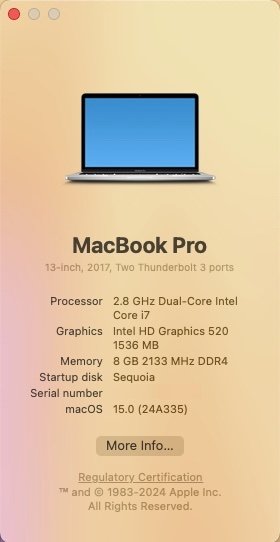
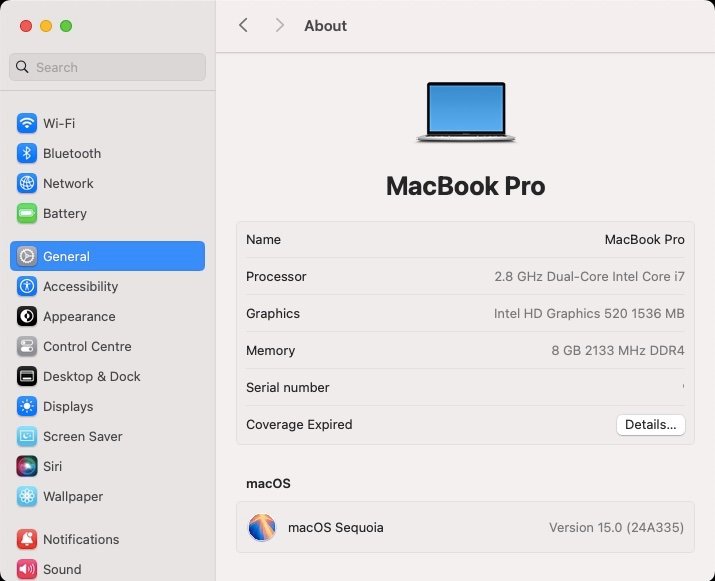
Released Sep. 16th, 2024. Version 15.0, build 24A335 (same as RC published Sep. 10th). Sequoia drops official support for Amber Lake MacBook Air8,1/8,2 thereby raising the minimum MacBook Air platform to final 2020 Ice Lake-based MBA9,1. The rest of the supported platforms remain identical to Sonoma. Support for Kaby Lake graphics remain provided with all KBL kexts still present so good news to all owners of Skylake laptops who will all be able to run Sequoia with full acceleration through the SKL graphics patch required since Ventura. For other iGPUs, patches are available through OCLP tool to regain graphics acceleration. Officially supported Intel platforms are now limited to : iMac19,x (8th gen. Coffee Lake) iMac20,x (10th gen. Comet Lake) iMacPro1,1 (Skylake Xeon) MacBookPro15,x (8th gen. Coffee Lake) MacBookPro16,x (9th gen. Coffee Lake and 10th gen Ice Lake) MacBookAir9,1 (10th gen. Ice Lake) Macmini8,1 (8th gen Coffee Lake) MacPro7,1 (Cacade Lake) With Sequoia, Apple introduced artificial intelligence features that are only available to Apple Silicon models. Intel platforms are not compatible with these. NB: macOS Monterey is now officially unsupported. View full article
-
Released September 9th, 2024. Build 24A335. Smooth update on Hackintosh, as usual. OCLP root patching required afterwards, also as usual. Same Clover r5159 setup for my Dell Latitude E7270 as used with initial beta3 version and posted here.
-
There is substantial documentation on the Dortania site. Failing that, you may opt for a Clover classic installation on which you'll apply OCLP patching; that's what I do with my unsupported laptops.
-
For Sonoma, it's exactly the same as for Ventura which dropped official support for Haswell platforms; as such, no native support for Haswell graphics HD4400/4600. In addition, Sonoma dropped support for legacy Broadcom wireless cards. See our previous communications on these matters. I would expect there are existing threads about installing/running Ventura and/or Sonoma on Haswell laptops, whether Dell or otherwise. https://osxlatitude.com/forums/topic/17636-macos-ventura-is-out https://osxlatitude.com/forums/topic/18228-macos-sonoma-140-beta-1-early-feedback-and-findings https://osxlatitude.com/forums/topic/19456-oclp-patcher-support-for-legacy-broadcom-wireless-cards-in-sonoma https://osxlatitude.com/forums/topic/19519-macos-sonoma-is-out https://osxlatitude.com/forums/topic/20304-macos-sonoma-144-update-is-out https://osxlatitude.com/forums/topic/19730-wifi-in-sonoma-patching-for-legacy-broadcom-wireless-cards/ OCLP brings everything back to life: graphics acceleration and wireless (provided you have the required card).
-
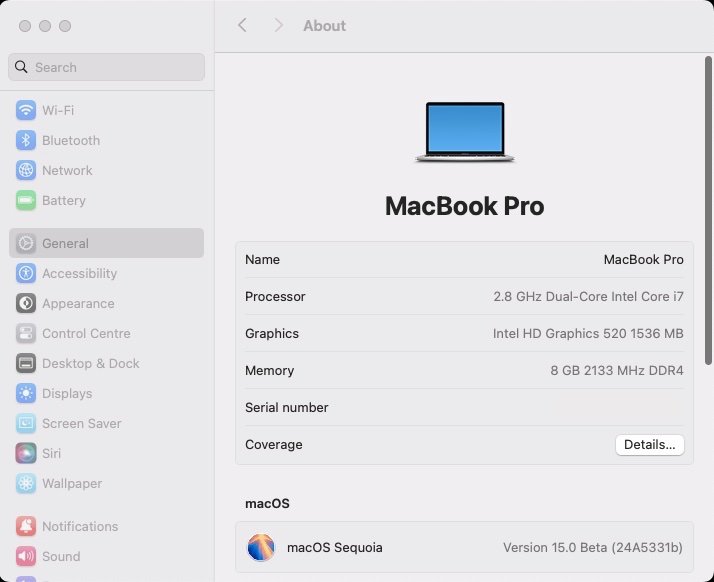
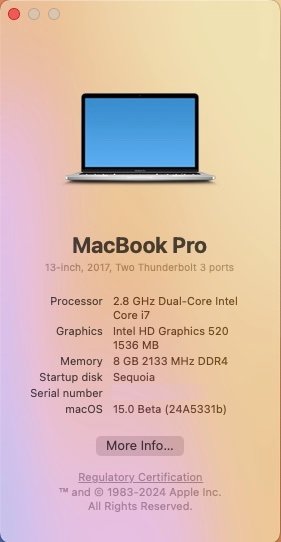
Released August 28th, 2024. Build 24A5331b. Smooth update on Hackintosh, as usual. OCLP root patching required afterwards, also as usual. Same Clover r5159 setup for my Dell Latitude E7270 as used with initial beta3 version and posted here.
-
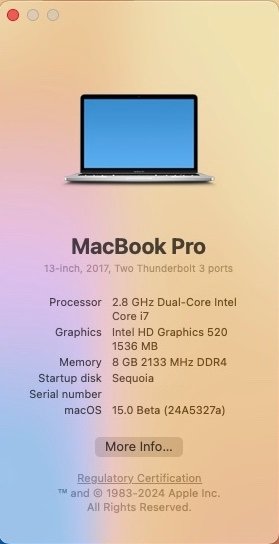
Released August 20th, 2024. Build 24A5327a. Smooth update on Hackintosh, as usual. OCLP root patching required afterwards, also as usual. Same Clover r5159 setup for my Dell Latitude E7270 as used with initial beta3 version and posted here.
-
No support for SKL graphics in Sonoma so no point in trying/using framebuffer 0x19120000. That's dead in the water... The thing is that Desktop HD530 tends to be difficult to get properly supported in macOS. You may have to experiment with other KBL framebuffer layouts/device ids. You got the link for the Whatevergreen user manual. Alternatively a cheap AMD RX560 or WX4100 graphics card (< $100/£100/100€) will work OOB.
-
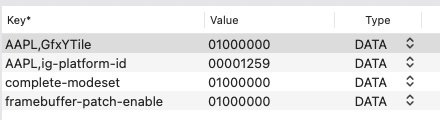
Hello, your graphics settings are inadequate. You need to fully fake KBL graphics to have any hope of graphics acceleration in Sonoma. Injecting a KBL framebuffer layout is one thing, you also need to fake a KBL iGPU device id. Try these settings instead: AAPL,ig-platform-id 00001259 DATA device-id 12590000 DATA framebuffer-patch-enable 1 NUMBER framebuffer-fbmem 00003001 DATA framebuffer-stolemem 00009000 DATA framebuffer-con1-enable 1 NUMBER framebuffer-con1-type 00080000 DATA If that does not provide you with graphic acceleration, experiment with the various KBL frame buffer layout ids and iGPU device ids as documented in the WEG User Manual. Make sure you use the latest version of Whatevergreen kext.
-
Latitude 5310 KP on sleep (Sleep Wake Failure in EFI)
Hervé replied to scram69's topic in 5000 Series
No, they don't have any issue on the matter; they just don't support this, even in other OS like Windows. The only thing you can wake through keyboard and touchpad is the screen.