
Hervé
-
Posts
10098 -
Joined
-
Last visited
-
Days Won
569
Content Type
Profiles
Articles, News and Tips
Forums
Everything posted by Hervé
-
 Intel i5-10210U is not a 7th gen. Kaby Lake CPU but a 10th gen. Comet Lake one. It's fitted with UHD 720 graphics carrying id 0x9b41 (which is not natively supported). Why you would want to apply KBL settings (as shown in your "BRIX" IOReg) to the iGPU is a bit of a mystery and don't expect this to work. IOReg "BRIX w: sound" correctly shows CFL/CML framebuffer layout 0x3ea50009 being used. If you only use 1 video output and that's your HDMI, then this is what registers against connector con1 (FB@1). And you also injects the correct connector type (HDMI 00080000) in your config by the look of things. Whatevergreen User Manual states that the following iGPU ids are supported, as shown in the CFL framebuffer kexts: <key>IOPCIPrimaryMatch</key> <string>0x3E9B8086 0x3EA58086 0x3EA68086 0x3E928086 0x3E918086 0x3E988086 0x9BC88086 0x9BC58086 0x9BC48086</string> Your IOReg shows you fake/inject CFL iPU id 0x3e9b, maybe you should try and fake one of the following CML ids instead: 0x9bc4, 0x9bc5 or 0x9bc8. Though I doubt it'll make any improvement... If you don't use it, try and add boot arg igfxonln=1. Ideally, post a zipped copy of your bootloader's EFI folder (config file + ACPI & texts folders).
 -
-> moved to Latitude 3000 series section. Check existing Latitude 3400 threads. I understand the EFI posted by @davidfrei7as here provided a fully working laptop.
-
'can't remember if screen mirroring is enabled by default in VESA mode but it really does not matter. It's not the proper way to run macOS, so... no point wasting any time on that.
-
Maybe you ned to inject your screen's EDID value. See our FAQ topic on the matter.
-
KBL HD620 with id 0x5916 is natively supported, even in Sonoma. FYI, if you checked the KBL driver in macOS 14.0 beta, you'd see the following iGPU ids: <key>IOPCIPrimaryMatch</key> <string>0x59128086 0x59168086 0x591B8086 0x591C8086 0x591E8086 0x59268086 0x59278086 0x59238086 0x87C08086 0x3E9B8086 0x3EA58086 0x3EA68086 0x3E918086 0x3E928086 0x3E988086 0x9B418086 0x9BCA8086 0x9BCC8086 0x9BC88086 0x9BC58086 0x9BC48086</string>
-
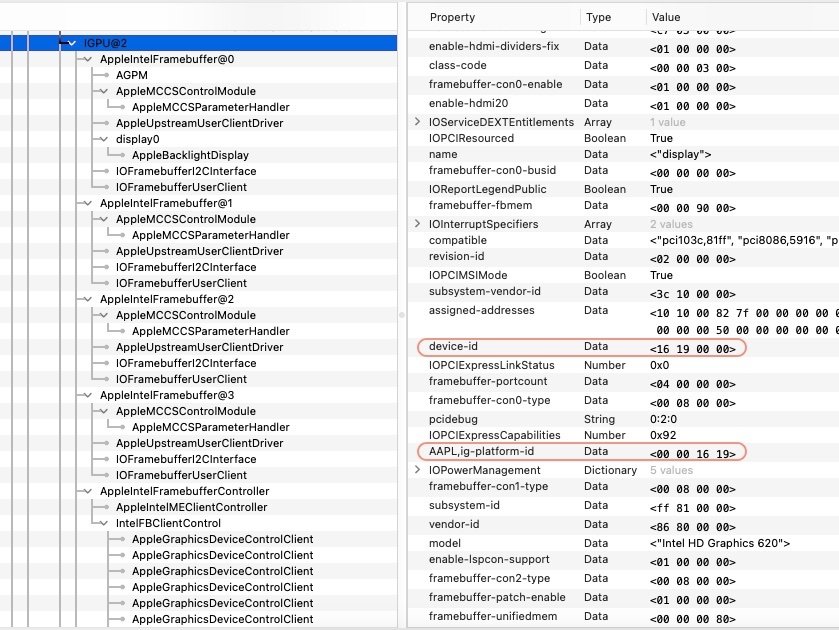
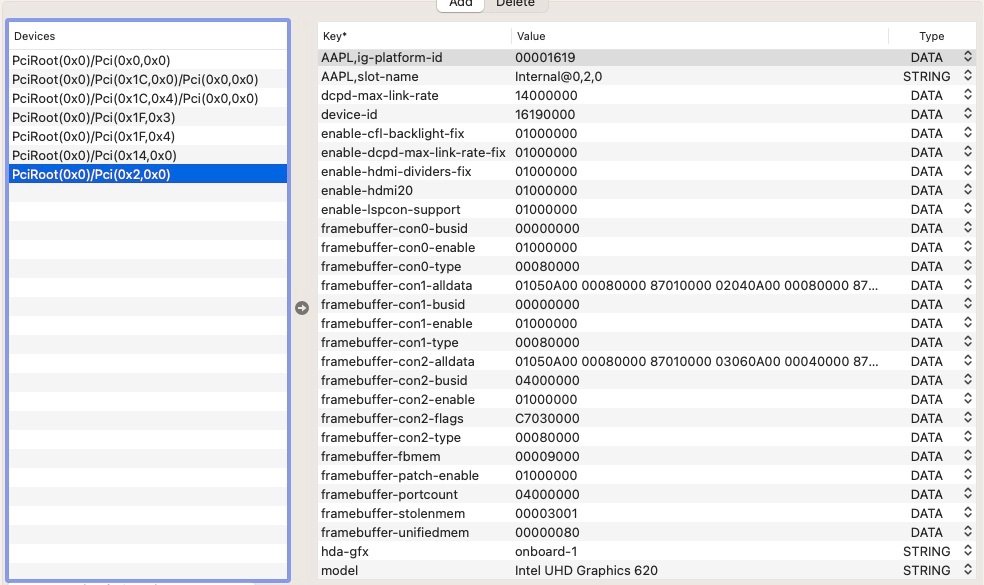
This is a complete (bad) joke, right? Booted OS was Big Sur (kernel 20.6.0, build 20G1426) and your OC config + IOReg show you're injecting Skylake settings! SKL framebuffer 0x10160000 and SKL iGPU id 0x1916... So, not only are you incorrectly using 6th gen. Skylake settings on a 7th gen. Kaby Lake laptop, must we also remind you that Skylake graphics are unsupported since Ventura? And it was also stated before that you should be using MBP15,2 SMBIOS, not MBP15,3. If you follow what was previously suggested, I'm sure you'll get somewhere... Use the correct settings in your config file, save it and make sure to reset NVRAM at OC Picker when you reboot.

-
What happens if you disable hibernation as described in our FAQ topic?
-
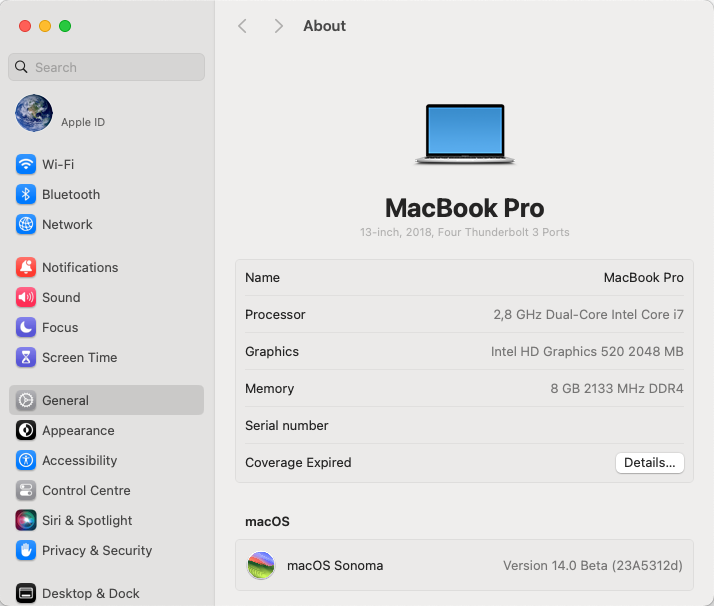
Released August 8th, 2023. Build 23A5312d. As usual, no OTA update offered when running with MBP15,2 SMBIOS and had to reboot temporarily with iMac19,1 SMBIOS. Otherwise, completely smooth update.
-
What's not working for iGPU? No HDMI output or freeze/KP on plugging/unplugging the HDMI cable? You sure got the correct patch in place. I'm a little confused when you say you get a black screen on putting the computer to sleep? What else did you expect? Does it not go to sleep? Or do you mean you get black screen on wake? In which case, what if you wait something like several (long) minutes (but under 5mins)?
-
Absolutely no need to add any folder called MacOSX, no. If you're building your USB installer from Windows, consult our FAQ section where you'll find a dedicated topic on the matter.
-
If you really want to be on the safe side of things, you may of course try/test your revised setup out of a USB boot key, then apply the proven setup to your internal disk. But we're only talking kexts updates here, not experimentation with new kexts.
-
I suggest you read up the Dortania documentation as a general refresher course. Why consider complicated routes for kexts when all you need is the simplest path? Just make sure to reset NVRAM at OC Picker when you reboot. Re: HD4600 iGPU, all you need is the usual that's been used for the last 10 years and nothing else: AAPL,ig-platform-id 0600260A DATA device-id 12040000 DATA framebuffer-patch-enable 1 NUMBER framebuffer-con1-enable 1 NUMBER framebuffer-con1-pipe 12000000 DATA framebuffer-con1-type 00080000 DATA
-
Graphics settings are incorrect with no need to patch fbmem or stolenmem on HD4600 iGPU. Update your add-on kexts to latest versions, you're using old or very old versions.
-
Re: Ethernet, the Latitude E6440 is fitted with an Intel i7-217LM Gigabit Ethernet interface. The certainly was supported, either by Miele's IntelMausi kext (make sure you use the latest version ) or good old AppleIntelE1000e kext. You'l find the former in the Web and the latter in the packs I has posted in my old E6440 guide. Re: Sleep, it should work as long as you have properly configured CPU power management. With Big Sur, you should no longer have to disable hibernation either. But, again, unless you post a zipped copy of your OpenCore setup (EFI folder with config file + ACPI folder + kext folder), not much we can analyse and not much we can provide in terms of assistance.
-
The only thing likely to be wrong is not your laptop but your setup... Can't see why you have some of those properties injection, especially the framebuffer flags. Try to use only the following: AAPL,ig-platform-id 00001659 DATA framebuffer-patch-enable 1 NUMBER framebuffer-con1-enable 1 NUMBER framebuffer-con1-type 00080000 DATA This assumes MBP14,1 SMBIOS for Ventura of course, MBP15,2 for Sonoma.
-
Didn't catch the personality used but you may try and inject any of the following ones that may apply:
-
Dell 7490 Ventura 13.5 OC TouchPad buttons and trackpoint doesn't work
Hervé replied to ZainAnjum's topic in 7000 Series
FYI, it's a Latitude 7490, not an E7490. E Series stopped at Skylake E7x70. -
Look at the properties listed under your AMD graphics card device. Can't say what and where it'll be on your desktop computer. Alternatively, save your IOReg from the app, zip it and attach it.
-
You'll see it in IOreg with apps such as IORegistryExplorer.
-
Hi, pretty sure we've got several threads on this matter for the Latitude 7x90 series. You may also experiment/test the Alps driver I used for my 7490; details are in the guide I had posted in the Guides section.
-
Graphics initialisation issue. Try and add boot-arg radpg=15. https://github.com/acidanthera/WhateverGreen/tree/master Check which AMD personality is selected in El Capitan/Sierra and try to inject this through properties in your config for High Sierra or later. Or experiment with the various personalities that apply to AMD 7xxx cards..
-
Problem fixed? Grey screen no more?
-
You do reset NVRAM from the OC Picker after each config change, right?
-
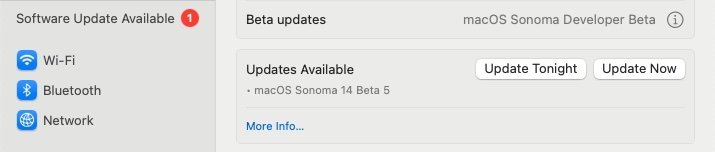
Beta4 update published 31st July. Build 23A5301h.
-
Try and inject your screen's EDID. If you've not done so already, I also suggest you patch your BIOS to increase DVMT size to 64MB or 96MB. It's explained in our FAQ tuto on the matter as well as on that Git repo you followed. You'll then be able to remove the injected properties that restrict fbmem to 9MB and stolenmem to 19MB. You would no longer need them and would gain 4K output alongside.