All Activity
- Past hour
-
 I've noticed that Clover versions past r5167 available through Clover Configurator app or through HackyCloverColor's Github repo no longer include the BlockSkywalk binary patch. As such, avoid them if you want to retain Broadcom wireless services in Sonoma and beyond. It's probably just a mistake and I've contacted the Dev on the matter. For the moment, do not update Clover beyond r5167 which is the latest version to retain that patch. Clover_r5167.pkg.zip
 - Today
-
It's pretty straightforward: update Clover to r5157 minimum; you may go up to r5167 but not beyond as I've noticed that r5169 to r5172 (obtained through Clover Configurator or CloverHackyColor Github repo) no longer include the BlockSkywalk patch anymore update your bootpack with the latest I posted for Sonoma install Sonoma, either through Software update or through the AppStore (i.e. OTA update) Bear in mind that Sonoma dropped all legacy Broadcom wireless cards so, if you have one of those, you'll have to use OCLP to bring back support. If this is the case, install latest OCLP before you upgrade to Sonoma so that it's readily available afterwards. See here for details: https://osxlatitude.com/articles/misc/support-for-broadcom-wireless-cards-in-sonoma-later-clover-and-opencore-r84/ https://osxlatitude.com/forums/topic/19730-wifi-in-sonomasequoiatahoe-patching-for-legacy-broadcom-wireless-cards/
-
Hi @Hervé I am following your guide E7270 and running on Monterey for years and no [problem . I am planning to upgrade to Sonoma. Please advise how the best way to update it. Thank you
- Last week
-
 maximkuznez changed their profile photo
 -
E6400/El Capitan: panics with seemingly a one line kernel panic
Hervé replied to Lost-Entrepreneur439's topic in E6xxx
My mistake, OC does indeed support CPUPM for Sandy and Ivy Bridge platforms of course (post above corrected to that effect). However, OC does not provide P States and C States generation and, as such, cannot properly support CPU power management for C2D and 1st gen. CORE platforms, only for LFM and HFM speeds. It's Ventura that dropped CPU PM for older CPUs up to Ivy Bridge by removing AICPUPM kexts. I think you're looking at this a wee bit wrongly; you want to use "modern" kexts and OpenCore on an ancient platform and with an ancient OS X version; it's contradictory and makes little sense to me. And no, absolutely not, Clover is not "just an OC fork". It's better suited to older platform such as yours. It's still subject to development and I still use its latest versions on my E7270 with Sequoia and Tahoe with everything working perfectly... -
 As I said previously, I want to keep using modern kexts and OC. Power management doesn't matter since this laptop has a battery life of 5 minutes even on Linux, there's nothing like Dortania's guide for Clover, and pretty much every Hackintosh community no longer supports Clover (this site is the only one I'm aware of that still does). Plus, from everything I've seen, Clover is just an OpenCore fork now. Also, I don't think what you said is accurate. I have an N5040 (Arrandale) running on High Sierra with OC, and it has no problems with power management.
 -
E6400/El Capitan: panics with seemingly a one line kernel panic
Hervé replied to Lost-Entrepreneur439's topic in E6xxx
Try and use kexts from the era of El Capitan; you may refer to guides/threads posted for similar C2D models. As stated in a previous E6400 thread, OpenCore should be avoided on C2D systems because it does not support power management for old Intel CPUs up to 1st gen CORE models. I would recommend you stick to Clover which does; Clover is perfectly fine and best suited to this type of ancient Penryn laptops. You should also use the FakeSMC kext I had tuned for improved CPU power management and GPU throttling. https://osxlatitude.com/forums/topic/2673-performance-tuning-with-fakesmc https://osxlatitude.com/forums/topic/7807-nvidia-gpu-performance-tuning-with-agpm I was able to get my old D630 nVidia up to Catalina (see my old D630 guide) so no reason why your E6400 could not do the same. Big Sur and beyond will be challenging especially as Apple dropped AICPUPM from macOS Ventura though it can be injected (see my E6230 old guide) and you'll need OCLP patcher, of course, to obtain support for Tesla graphics (last natively supported in High Sierra). - Earlier
-
I'm trying to hackintosh a Latitude E6400, and it crashes really early into boot. I believe it's a kernel panic, but I could be wrong because it's way shorter than a normal kernel panic. The panic mentions VoodooInput, so I tried disabling everything related to VoodooPS2, and then got a single line panic log, which I've never seen before. Does anyone know how to fix this? Before someone questions the airportitlwm, I'm using a fork that has support for El Cap. I don't want to use a prebuilt EFI, and I'd rather keep OpenCore if possible. Yes I know El Capitan is ancient. config.plist is attached as a zip since site doesn't allow me to upload plist files. Panic log with VoodooPS2 enabled: Panic log with VoodooPS2 disabled: config.plist.zip

-
 juretiabiti joined the community
 -
 mascotoide joined the community
 -
 stillrandom joined the community
 -
 pc_parts joined the community
 -
 davidlogo9525 joined the community
 -
 sonich73 joined the community
 -
 neptykwariat joined the community
 -
 batistazco joined the community
 -
 Sabotender.Cactuar joined the community
 -
 trevorch joined the community
 -
Elitebook 840 G3: issues with apps after waking from sleep
Hervé replied to thadrumr's topic in HP Systems
Weird. -

Elitebook 840 G3: issues with apps after waking from sleep
thadrumr replied to thadrumr's topic in HP Systems
Sorry to necro this thread but I was able to fix video playback after sleep. For some reason you need to enable "remote management" for video playback to work after sleep. -
I've tried OCLP with my GT210 in Monterey and Ventura and it doesn't offer a patch (works great with my HD4000 IGPU, though, so I'm quite confident I'm doing it the right way ). My guess is that it may support Tesla cards in Big Sur but not after.
-
 gelhimother changed their profile photo
 -
Unsure if this link is allowed. This is a link towards Github with a working EFI for Tahoe 26.2. Change the SMBIOS and it works flawlessly.
-
 riky67 changed their profile photo
 -
There were no major differences in the DSDT. There were only minor discrepancies, such as the _CRS values for Device (PCI0) and the presence or absence of Gigabit LAN on RP06. I’ll continue investigating to see if there’s anything else that can be done.
-
Hi, it's all a little long in the tooth after so many years now but the Latitude D630 and D830 with nVidia dGPU were very close cousins of these Inspiron 1520 laptops. You may want to compare the DSDT/ACPI tables of both models with those of your Inspiron 1520 on the basis that there were no shutdown/reboot issues on the D630/D830 under Mac OS X/OS X/macOS..
-
I have discovered a potential fix for the long-standing shutdown issues on the Dell Inspiron 1520 (ICH8M + NVIDIA GPU). It appears that a significant delay (Sleep) is required to achieve a successful shutdown. By writing 0 to SLP_SMI_EN to disable SMI generation, followed by a long Sleep command—specifically Sleep(0xFFFF) or at least Sleep(0x2710)—I have successfully achieved shutdowns on macOS 10.4 through 10.7, as well as 13, 14, and 15. Short delays like Sleep(0x10) or Sleep(0x16) invariably result in failure. like: Method (_PTS, 1, NotSerialized) { If (LEqual (Arg0, 0x05)) { Store (Zero, SLPE) Sleep (0xFFFF) } } The behavior varies across different macOS versions: 10.8 - 10.10: Unstable. Sometimes it succeeds, but often the screen goes black while the fans continue to spin, or the system reboots. 10.11 - 10.12: Always results in a reboot. 10.13 - macOS 12: The screen turns off, but the fans stay on indefinitely. The reason why success rates are higher in very old and very new versions, while mid-era OS versions are unstable, remains unknown. Furthermore, it takes approximately 30 seconds to 1 minute for the hardware to complete the shutdown process. This suggests that the hardware requires a significantly longer time to prepare for power-off compared to other machines of the same generation. This is almost certainly due to a firmware bug. While this is an unconventional fix, It is encouraging to find a working method for these models, which were previously thought to have no consistent solution for the shutdown problem. may work for the following models: Inspiron 1420 / 1520 / 1720 Vostro 1400 / 1500 / 1700 XPS M1330 Note that rebooting is also unstable on these models, sometimes succeeding and sometimes failing, likely due to a similar underlying cause. What I have tested so far: USB Power: Investigated behaviors around USB power, but it doesn't seem to be the cause. OSID: Tested with 0x10 (Windows XP) and 0x20 (Windows Vista), but with no significant change. BIOS Settings: Disabled LAN, Wi-Fi, Bluetooth, SDHC, and Module Bay in the BIOS, but the issue persists. The following older thread might also be helpful for reference: https://www.insanelymac.com/forum/topic/266803-dsdt-shutdown-nvidia-dells-not-zero-slpe-trick-alternate-ich8-method/ If you have any insights, suggestions, or ideas for a more fundamental solution, please let me know. Any feedback would be greatly appreciated!
-
this efi works to install and load bigsur but the OC is really old ive tried the updater but i get oc: grabbed zero system-id for sb this is not allowed maybe this will help someone....i hope as the file size was too big i could only get the kext's and bits, you need open core 0.7.2 and this booted BigSur 10.7.10 this includes the plist and files i couldnt get the TP to work properly but it sees battery wifi etc my bios is 1.42.0 OC072.zip ive found an Open Core updater used that and then open this plist and look for secureboot and it might say its setting is default i chose "disabled" and it now boots BigSur again just need upto date Kext now
-
Platforms compatibility & requirements for OS X/macOS
Hervé replied to Hervé's topic in Intel Platforms
Updated following the release of macOS Tahoe. -
 Dell Inspiron 14 5458 (Broadwell-U) - OpenCore Legacy Patcher - Mojave 100% working! Install Notes: use of /Library/Extensions for kexts that do not inject through bootloader. https://www.dropbox.com/scl/fi/ql7q9atvhff55t2vxsr3k/Dell-Inspiron-14-5458-macOS-Support.zip?rlkey=ld6a9f43ecs0davrq0dqjqc8b&st=k17s9k98&dl=0 I see this Model going for $100... its not *SO cheap if you Upgrade the RAM to 16gb.... I'm getting the full 2gb vram, and macOS doesnt page to disk so thats nice... Some maintenance: 1) System and user cache for a substantial problem fix and speed issues /Library/Cache ~/Library/Cache Delete the contents, not the folders. 2) macOS won't boot open DiskUtility and repair permissions... some people cant use pfix(maps) If it's completely broken: sudo chown root:admin / sudo touch /System/Library/Extensions 3) Rebuilding kextcache In Terminal: sudo chmod -Rf 755 /S*/L*/E* sudo chmod -Rf 755 /L*/E* sudo chown -Rf 0:0 /S*/L*/E* sudo chown -Rf 0:0 /L*/E* sudo kextcache -i / Then reboot. 4) Rebuild prelinked kernel kernelcache -i /Volumes/macOS 5) Fixing broken fonts and icons sudo rm -rfv /Library/Caches/com.apple.iconservices.store sudo find /private/var/folders/ \( -name com.apple.dock.iconcache -or -name com.apple.iconservices \) -exec rm -rfv {} \ sudo touch /Applications/* killall Dock killall Finder sudo atsutil databases -remove The only thing you can do about a kext that was not signed or has an invalid signature is rebuild cache and hope that gatekeeper picks it up
-

Lenovo X1C5 : DP (or HDMI) working but can't get 4K output
jamieakers replied to jamieakers's topic in Lenovo systems
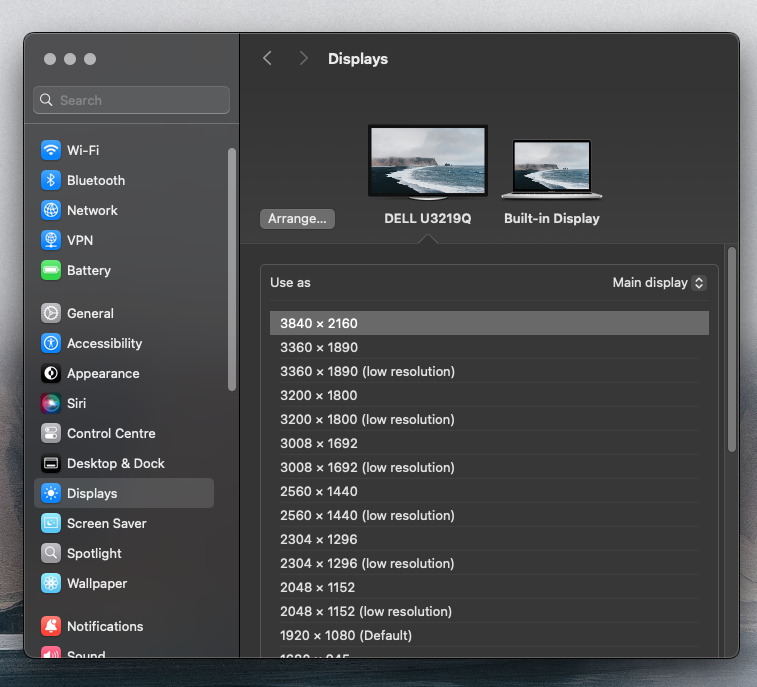
Just wanted to follow up on this and give you a big thank you Herve for your advice - and you were absolutely right that 64MB is required. I've been surviving with a lower resolution, but thought "enough is enough" and a week ago bought a programmer (£5 from Amazon) and then carefully followed the steps here: https://github.com/tylernguyen/x1c6-hackintosh/blob/main/docs/BIOS/modding-the-BIOS.md I had Macronix BIOS but the normal instructions worked absolutely fine, just another command-line argument to add. Was extremely nervous doing this! Rebooted into BIOS and the Advanced menu was visible. So, upped the video memory to 64MB and with few other changes I've now got glorious 4K from my X1 Carbon Gen 5 using the DisplayPort over USB-C. One cable!
-
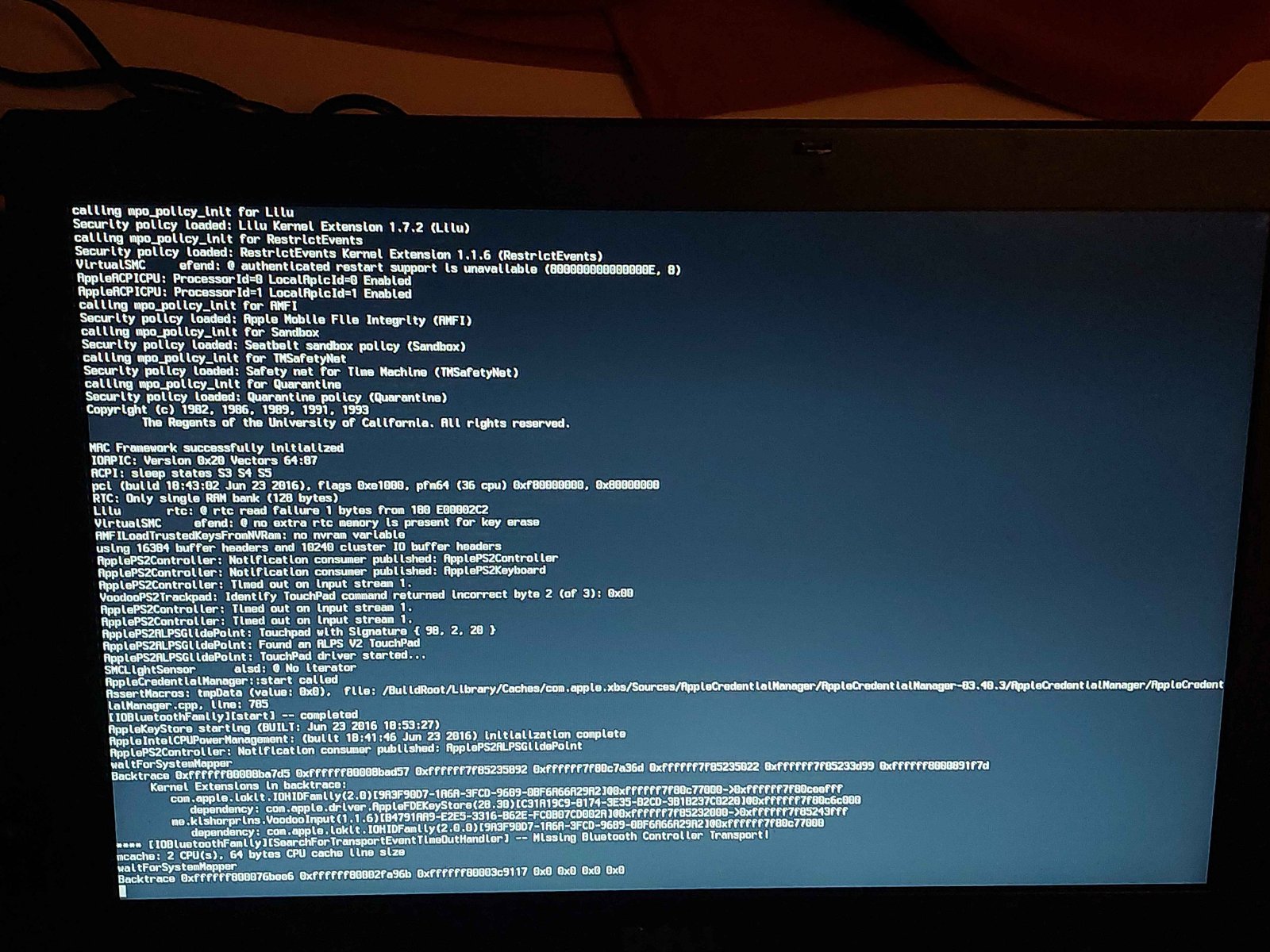
Kernel panic while upgrading to Tahoe, thinkpad i7 10th gen laptop
Baio77 replied to pawan2joy's topic in Lenovo systems
Can you also attach the ioreg? Do you have duplicates in ACPI, You use SSDT X390, which already includes several patches. This could cause system instability. For the trackpad, you use too many Kexts, the PS2 Kext. You must disable the plug-ins if you use I2C Kexts. This also causes problems, except for the keyboard. -

Kernel panic while upgrading to Tahoe, thinkpad i7 10th gen laptop
pawan2joy replied to pawan2joy's topic in Lenovo systems
Im able to install but my only issue is Trackpad clicking doesnt work properly and USB mouse deoesnt get detected.. if i map my OC folder with proptree it works but i get kernel panic. removed itwlm and IO80211FamilyLegacy.kext, AppleALC.kext skipped for size issues EFI.zip -
Kernel panic while upgrading to Tahoe, thinkpad i7 10th gen laptop
pawan2joy replied to pawan2joy's topic in Lenovo systems
not able tconfig.zipo make it work, if i share config.plist, can you please help. -
Kernel panic while upgrading to Tahoe, thinkpad i7 10th gen laptop
Hervé replied to pawan2joy's topic in Lenovo systems
Moved to the support section. Again, this thread is not a guide, please post in the relevant section! Yes, you need to update your usual add-on kexts: Lilu & PlugIns, RestrictEvents, AMFIPass, etc. See this thread about early findings with 1st Beta version and/or this one. If you need more, you know the drill... -
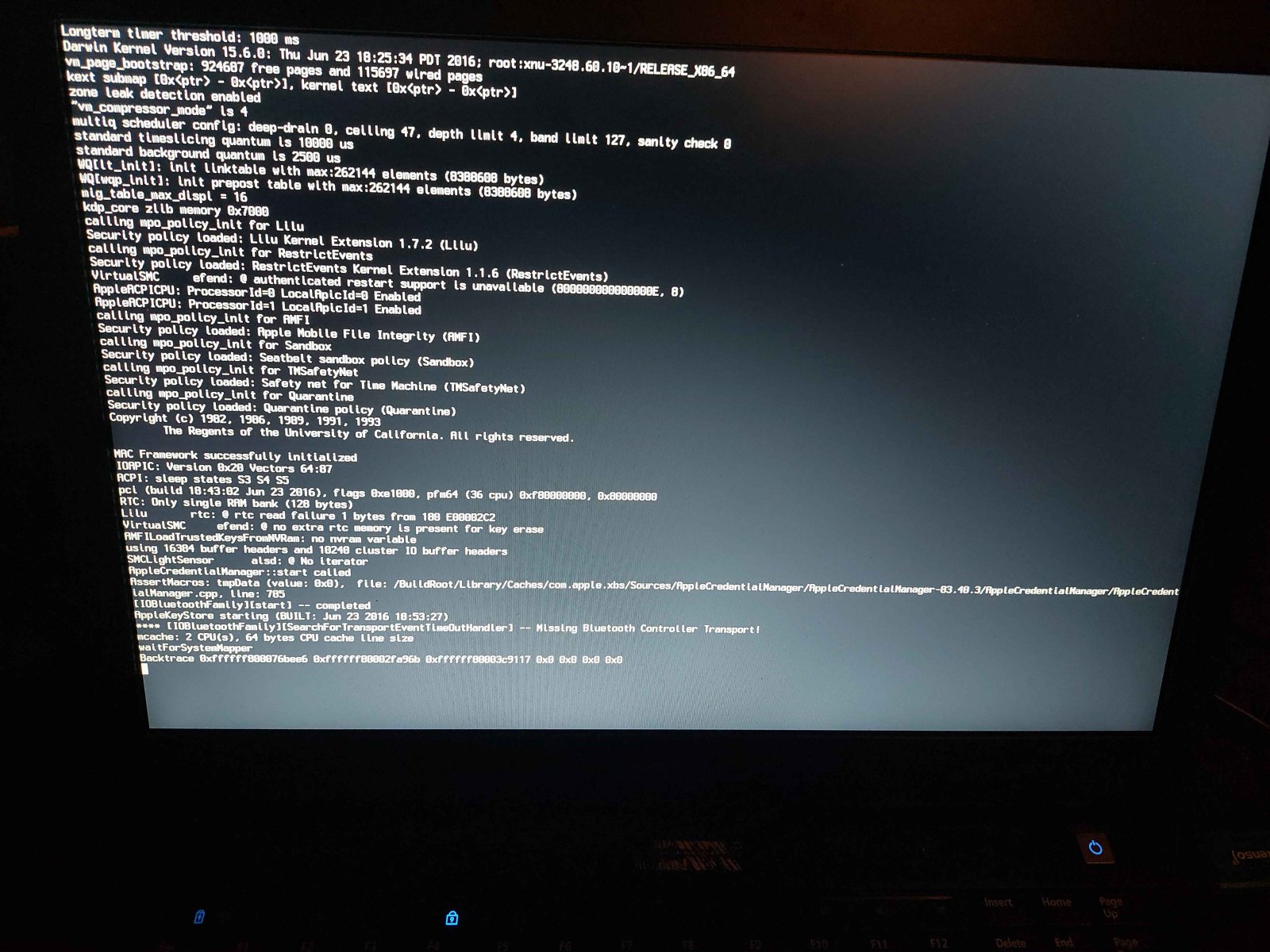
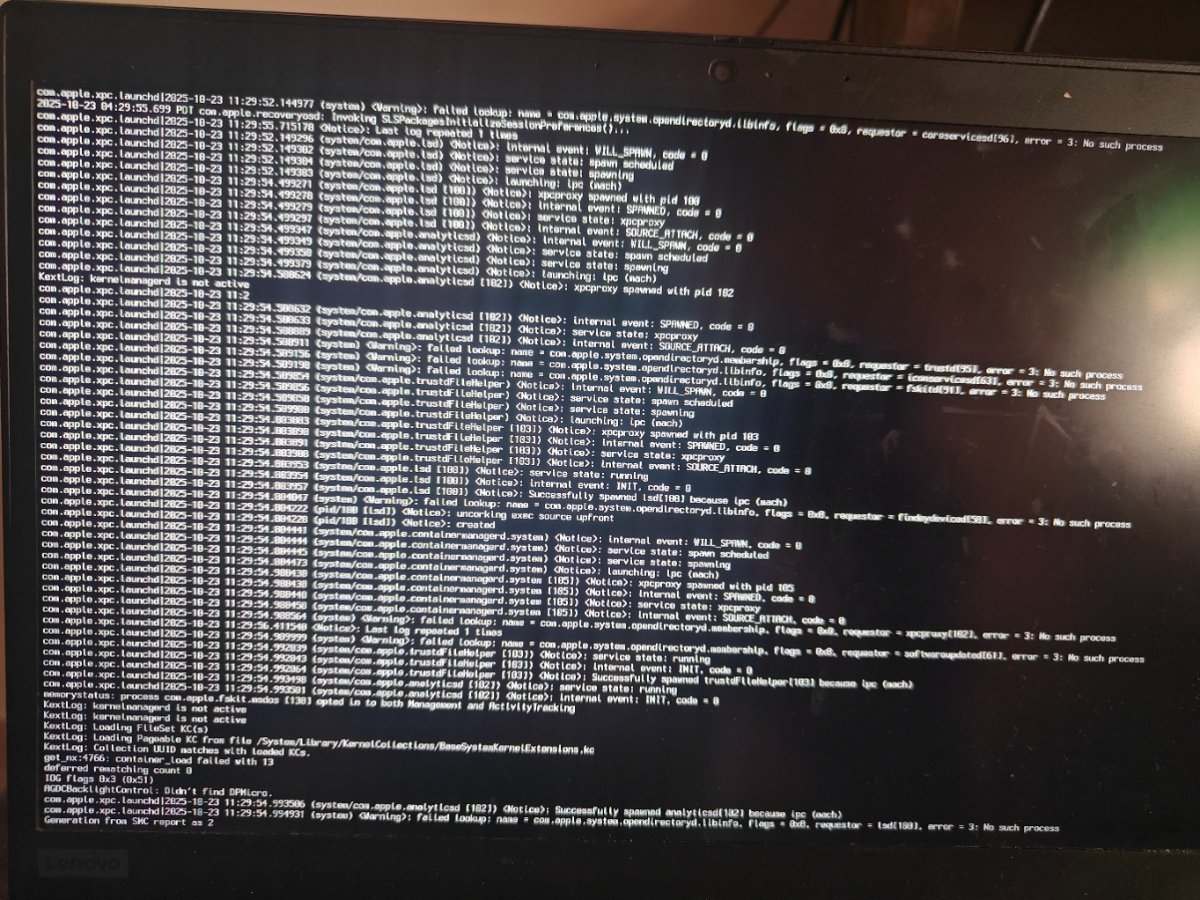
HI, I have Lenovo thinkpad i7 10th gen laptop successfully running Sequoia with Opencore, while upgrading to Tahoe, its giving KP as per attached screenshot. Do i need use any Bootargs specifically for Tahoe or need to update any Kexts.
-
Lenovo X1C5 : DP (or HDMI) working but can't get 4K output
jamieakers replied to jamieakers's topic in Lenovo systems
Thank you for your assistance, I've learnt a lot and i really appreciate it. -
Lenovo X1C5 : DP (or HDMI) working but can't get 4K output
Hervé replied to jamieakers's topic in Lenovo systems
Actually, 00009000 is 9MB and 00003001 is 19MB. As I mentioned before, 4K usually requires a minimum of 64MB of pre-allocated DVMT so that the selected framebuffer can be run natively without patching. This is a value set in BIOS so, given yours is set to 32MB, you must find a way to patch BIOS. No way around this as far as I know.







-
Topics
-