
Hervé
-
Posts
10099 -
Joined
-
Last visited
-
Days Won
569
Content Type
Profiles
Articles, News and Tips
Forums
Everything posted by Hervé
-

Lenovo Y520: SD Card Reader and sleep don't work
Hervé replied to George1203's topic in Lenovo systems
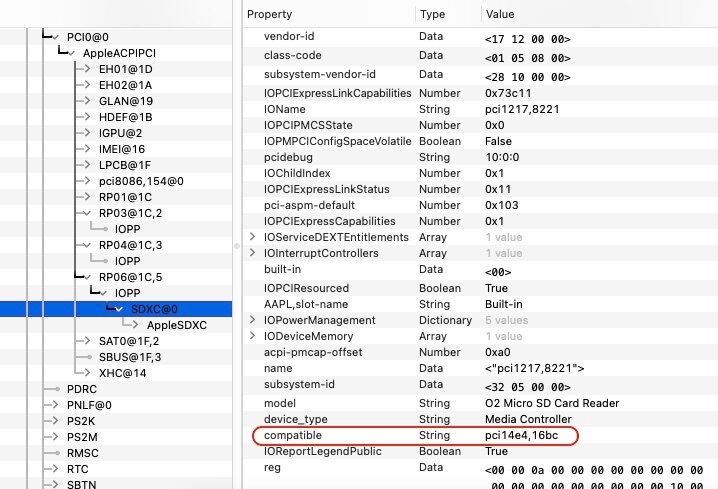
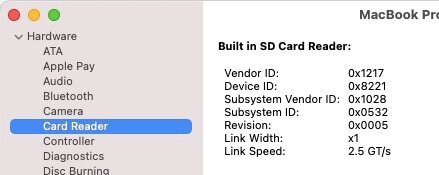
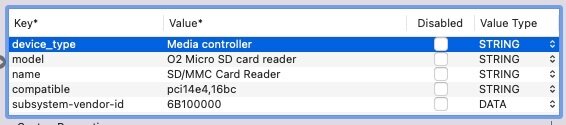
@Baio77 You may mean well, but please keep this thread on-topic and do not divert onto fixing what you believe to be issues when such things were not even mentioned and your proposed new setups end up creating new issues. It's a recurring pattern of yours... The OC EFI you provided does not even address the O2 SD card reader, the thread's own topic! @George1203 The OC config you posted shows incorrect injections: In addition, these injections useless if you already use a patched SSDT to do so (SSDT-SDCard.aml). So only use one solution or the other but not both. In your case, SSDT-SDCard is correct, your OC config is wrong. As advised by Jake, make sure you also remove those add-on kexts that appear in your OC config (remove them from the OC config and the kexts folder): AppleSDSX AppleSDXCInjector VoodooSDHC As stated here (based on posted reports by forum members), the patch is understood to be applicable to your O2 card reader model (ven/dev id 1217:8621) so all that's required is injecting the property declaring compatibility with Apple's hardware (pci14e4,16bc): You would then expect to see your SD card reader in SysInfo in a manner similar to this: Of course, make sure it's not disabled in BIOS. As detailed here back in 2019, the same O2 SD card reader (pci1217,8621) was said to be fully working in a Lenovo ThinkPad E470 with the stated patch (compatible pci14e4,16bc). One notable difference though: the subsystem-vendor-id being set to Apple's 0x106B: Jake already fixed all this in the OC config he provided where he commented out your incorrect config for the SD crd reader and added the correct properties injection.
-
Make sure you install Clover with the options provided in my E7270 guide. Refer to the last one for Monterey.
-
Maybe you're not using the correct Clover version or you did not install it properly/with the correct settings.
-
Ok on my Skylake/HD520 Latitude E7270.
- 1 reply
-
- 1
-

-
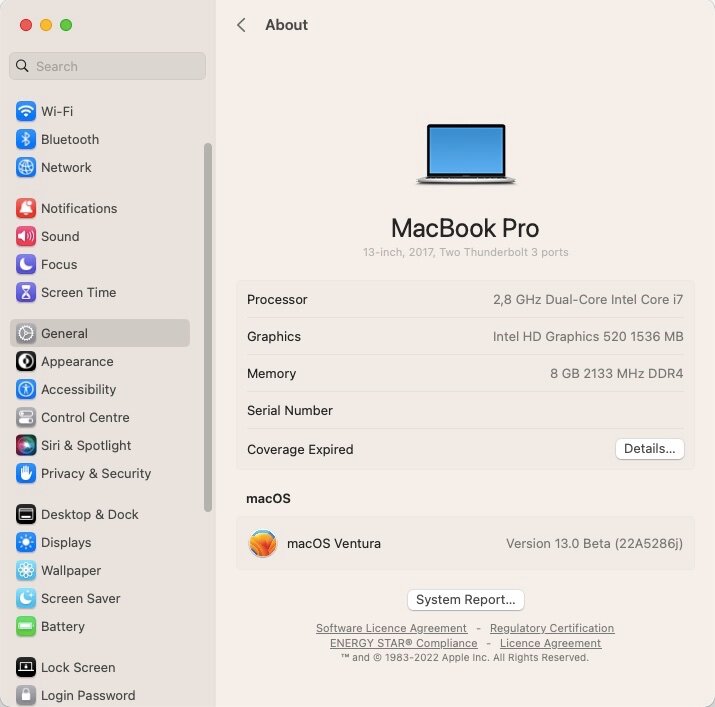
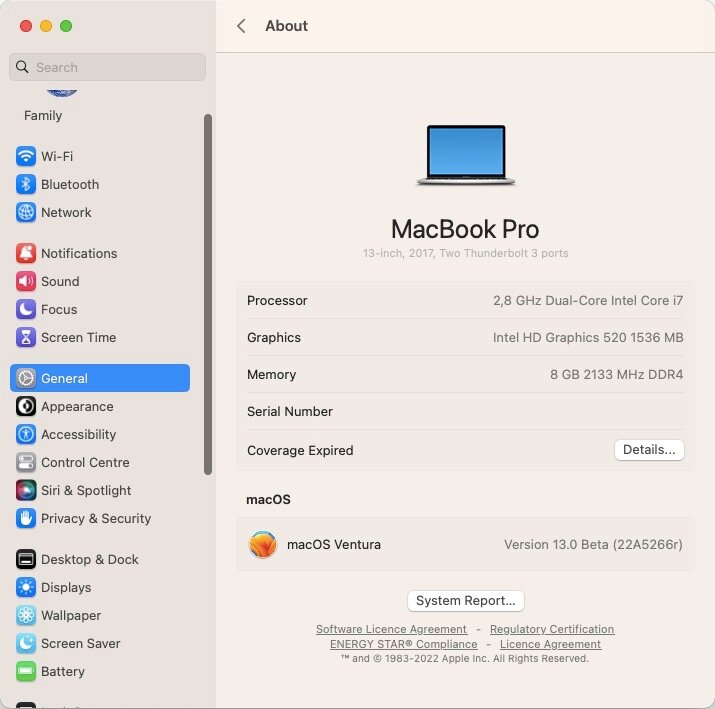
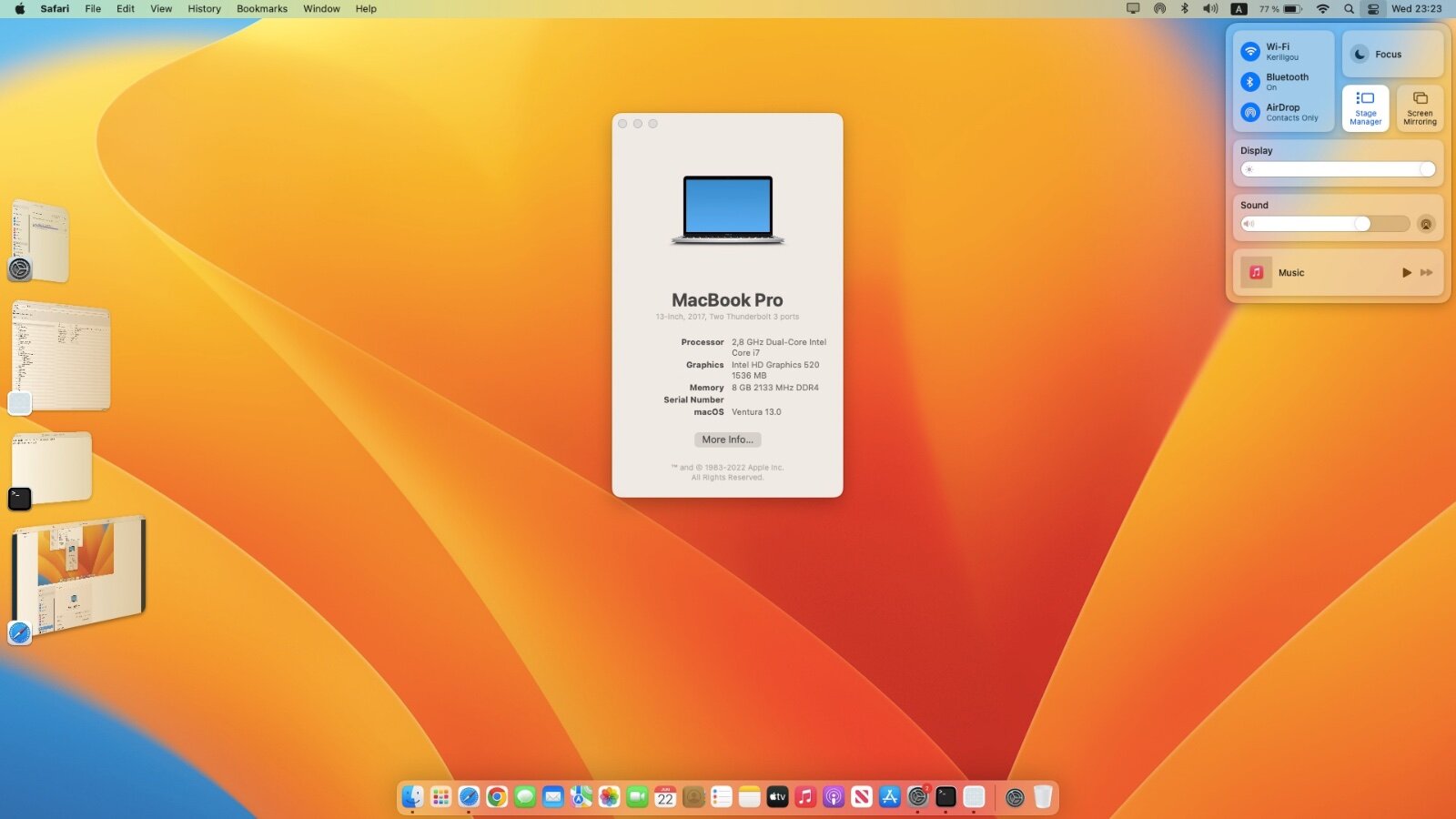
Released June 22nd, 2022. Build 22A5286j.
-
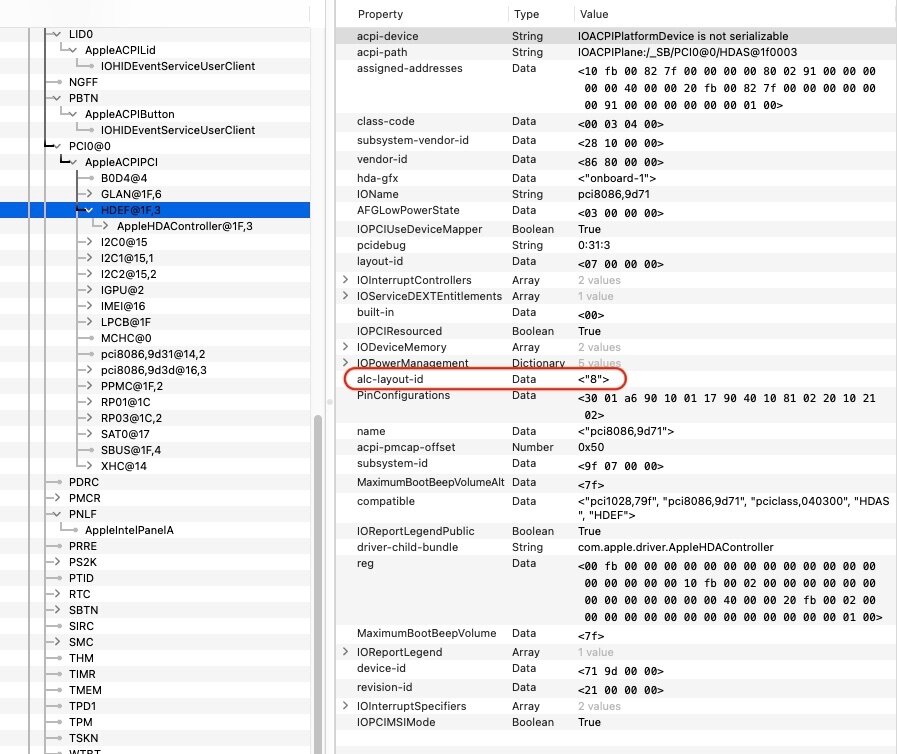
Do try and disable that SSDT-ALC256 patched tab of yours. I don't think you need it, especially given that you do not appear to use CodecCommander kext. Then, there appears to be a discrepancy between your OC config and the info shown in IOReg: You need to address that... https://github.com/acidanthera/AppleALC/wiki/Supported-codecs 'pretty sure ALC256 layout id 11 (0x0B) should work perfectly.
-
macOS Ventura 13.0 beta 1: early feedback and findings
Hervé replied to Hervé's topic in The Archive
This revised version of Clover r5146 restores full stability in Ventura beta1 with AvoidRuntimeDefrag quirk set (failing that systems boot but rapidly freeze). The OpenRuntime Clover module was fixed. Thanks to developper @Jief_Machak for the updated build. Clover_r5146beta-48be65956.pkg.zip This follows findings posted at InsanelyMac stating that older version such as r5137 could boot Ventura without subsequent freeze. Revised pack #3 posted above accordingly. Edit: Fixed lack of HDMI output by changing KBL framebuffer 0x591B0000 to 0x59160000 which has suitable output ports definition. Revised pack #4 posted above accordingly. Not good for HDMI without connector's patching: ID: 591B0000, STOLEN: 38 MB, FBMEM: 21 MB, VRAM: 1536 MB, Flags: 0x0000130B TOTAL STOLEN: 39 MB, TOTAL CURSOR: 1 MB (1572864 bytes), MAX STOLEN: 136 MB, MAX OVERALL: 137 MB (144191488 bytes) Model name: Intel HD Graphics KBL CRB Camellia: CamelliaDisabled (0), Freq: 1388 Hz, FreqMax: 1388 Hz Mobile: 1, PipeCount: 3, PortCount: 3, FBMemoryCount: 3 [0] busId: 0x00, pipe: 8, type: 0x00000002, flags: 0x00000098 - ConnectorLVDS [2] busId: 0x04, pipe: 10, type: 0x00000800, flags: 0x00000187 - ConnectorHDMI [3] busId: 0x06, pipe: 10, type: 0x00000400, flags: 0x00000187 - ConnectorDP 00000800 02000000 98000000 02040A00 00080000 87010000 -> Not good for HDMI output. Needs patching to 01050900 [00080000 87010000]. 03060A00 00040000 87010000 -> Ok for DP, incl audio. Natively good for HDMI: ID: 59160000, STOLEN: 34 MB, FBMEM: 0 bytes, VRAM: 1536 MB, Flags: 0x00000B0B TOTAL STOLEN: 35 MB, TOTAL CURSOR: 1 MB (1572864 bytes), MAX STOLEN: 103 MB, MAX OVERALL: 104 MB (109588480 bytes) Model name: Intel HD Graphics KBL CRB Camellia: CamelliaDisabled (0), Freq: 1388 Hz, FreqMax: 1388 Hz Mobile: 1, PipeCount: 3, PortCount: 3, FBMemoryCount: 3 [0] busId: 0x00, pipe: 8, type: 0x00000002, flags: 0x00000098 - ConnectorLVDS [1] busId: 0x05, pipe: 9, type: 0x00000400, flags: 0x00000187 - ConnectorDP [2] busId: 0x04, pipe: 10, type: 0x00000800, flags: 0x00000187 - ConnectorHDMI 00000800 02000000 98000000 01050900 00040000 87010000 -> 0105 connector good for HDMI. Type 00080000 required for HDMI audio. 02040A00 00080000 87010000 -> Ok for DP, incl. audio. -
It IS solved with OpenCore v0.8.2. https://osxlatitude.com/forums/topic/17292-macos-13-ventura-beta1-early-feedback-and-findings/?do=findComment&comment=114854
-
Never heard of such bootROM fix. The NVMEFix kext was understood to improve things a little for Samsung PM981 SSDs but it does not fix the KP issues. See here. Bottom line is that PM981 SSDs are not compatible with macOS.
-
macOS Ventura 13.0 beta 1: early feedback and findings
Hervé replied to Hervé's topic in The Archive
Why setting AvoidRuntimeDefrag to No was required to boot Ventura beta1 until now: https://github.com/acidanthera/OpenCorePkg/pull/357 -
Afaik, the E7440 should be fitted with an Alps TouchPad like other Latitude of those days. That's normally fully operational with DrHurt's VoodooPS2Controller kext available here.
-
Dell 5559: unable to boot OpenCore for Monterey
Hervé replied to Didds's topic in Other Dell laptops
Make sure you perform a "Reset NVRAM" from OC Picker after any changes to your config file. -
macOS Ventura 13.0 beta 1: early feedback and findings
Hervé replied to Hervé's topic in The Archive
If we compare the SKL framebuffer typically used on Skylake laptops with the KBL framebuffers typically used on Kaby Lake laptops, we can see how close they are in terms of memory settings and output ports definition: ID: 19160000, STOLEN: 34 MB, FBMEM: 21 MB, VRAM: 1536 MB, Flags: 0x0000090F TOTAL STOLEN: 56 MB, TOTAL CURSOR: 1 MB (1572864 bytes), MAX STOLEN: 124 MB, MAX OVERALL: 125 MB (131608576 bytes) Model name: Intel HD Graphics SKL CRB Camellia: CamelliaDisabled (0), Freq: 1388 Hz, FreqMax: 1388 Hz Mobile: 1, PipeCount: 3, PortCount: 3, FBMemoryCount: 3 [0] busId: 0x00, pipe: 8, type: 0x00000002, flags: 0x00000098 - ConnectorLVDS [1] busId: 0x05, pipe: 9, type: 0x00000400, flags: 0x00000187 - ConnectorDP [2] busId: 0x04, pipe: 10, type: 0x00000400, flags: 0x00000187 - ConnectorDP 00000800 02000000 98000000 01050900 00040000 87010000 02040A00 00040000 87010000 KBL framebuffer 0x59160000: ID: 59160000, STOLEN: 34 MB, FBMEM: 0 bytes, VRAM: 1536 MB, Flags: 0x00000B0B TOTAL STOLEN: 35 MB, TOTAL CURSOR: 1 MB (1572864 bytes), MAX STOLEN: 103 MB, MAX OVERALL: 104 MB (109588480 bytes) Model name: Intel HD Graphics KBL CRB Camellia: CamelliaDisabled (0), Freq: 1388 Hz, FreqMax: 1388 Hz Mobile: 1, PipeCount: 3, PortCount: 3, FBMemoryCount: 3 [0] busId: 0x00, pipe: 8, type: 0x00000002, flags: 0x00000098 - ConnectorLVDS [1] busId: 0x05, pipe: 9, type: 0x00000400, flags: 0x00000187 - ConnectorDP [2] busId: 0x04, pipe: 10, type: 0x00000800, flags: 0x00000187 - ConnectorHDMI 00000800 02000000 98000000 01050900 00040000 87010000 02040A00 00080000 87010000 KBL framebuffer 0x591B0000: ID: 591B0000, STOLEN: 38 MB, FBMEM: 21 MB, VRAM: 1536 MB, Flags: 0x0000130B TOTAL STOLEN: 39 MB, TOTAL CURSOR: 1 MB (1572864 bytes), MAX STOLEN: 136 MB, MAX OVERALL: 137 MB (144191488 bytes) Model name: Intel HD Graphics KBL CRB Camellia: CamelliaDisabled (0), Freq: 1388 Hz, FreqMax: 1388 Hz Mobile: 1, PipeCount: 3, PortCount: 3, FBMemoryCount: 3 [0] busId: 0x00, pipe: 8, type: 0x00000002, flags: 0x00000098 - ConnectorLVDS [2] busId: 0x04, pipe: 10, type: 0x00000800, flags: 0x00000187 - ConnectorHDMI [3] busId: 0x06, pipe: 10, type: 0x00000400, flags: 0x00000187 - ConnectorDP 00000800 02000000 98000000 02040A00 00080000 87010000 03060A00 00040000 87010000 With KBL 0x59160000, only the FBMEM settings (21MB vs. 0MB) + 3rd port type (DP vs. HDMI) differ and, if need be, we can easily inject that through properties injection in the bootloader's config. With KBL 0x591B0000, only the external output ports definition (HDMI + DP) differ and, if need be, we can easily inject that through properties injection in the bootloader's config. I've also experimented with the SKL injector posted by PMHeart here at IM; the E7270 certainly appears to run Ventura much more stable but graphics defects are, imo, worse, especially in Safari. On the other hand, it's Ok with Chrome so I would recommend using that for the time being. Revised Clover pack #2 posted above. -
Haswell iGPUs have no support whatsoever in macOS Ventura; don't waste your time.
-
macOS Ventura 13.0 beta 1: early feedback and findings
Hervé replied to Hervé's topic in The Archive
'working on my Clover setup and manage to significantly reduce the freezes though not entirely. Sometimes, system still freezes a few seconds after reaching desktop. But it seems to run pretty stable most of the time. Graphics acceleration is acceptable at this stage though not bug free: occasional slow movements on screen and some contents leftovers after closing a window for instance. Or unrecoverable limping system of complete freeze after attempting to watch a Youtube video in Safari. But, hey, what can we expect out of a KBL framebuffer on a Skylake system? Other than than, everything appears to work properly on the E7270: graphics acceleration: Ok with some defects and reduced/degraded performance brightness control: Ok touchscreen: Ok HDMI output: Ok mini-DP output: Ok audio (incl. DP audio): Ok LAN: Ok wireless & Bluetooth (BCM9460CS2): Ok touchPad: Ok USB ports: Ok sleep & wake: Ok SD card reader: Ok Whether this ends up sustainable in the long run for Skylake laptops remains to be seen but you never know... Is it usable for the time being? Clearly not. Edit: Instant wake issue on sleep and HDMI output now sorted. EFI_Clover_r5146_E7270_13.0.b1.zip EFI_Clover_r5146_E7270_13.0.b1_v2.zip EFI_Clover_r5146_E7270_13.0.b1_v3.zip EFI_Clover_r5146_E7270_13.0.b1_v4.zip -
macOS Ventura 13.0 beta 1: early feedback and findings
Hervé replied to Hervé's topic in The Archive
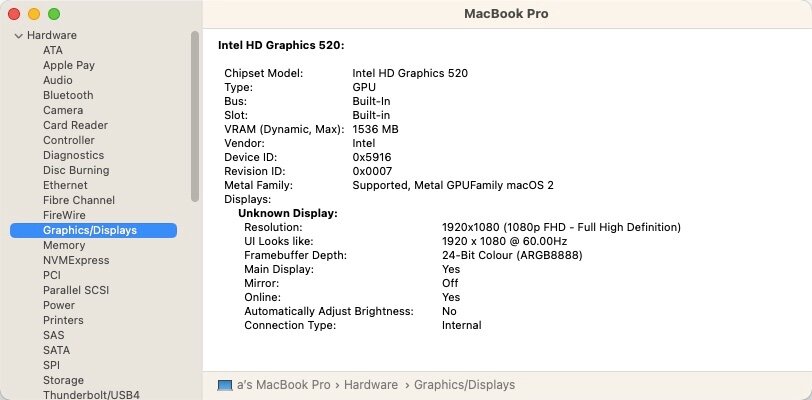
As suggested by @aben at IM, I experimented with KBL framebuffer settings on my Skylake/HD520 Latitude E7270. I also updated all add-on kexts to latest versions (Lily & PlugIns) and replaced good old ACPIBatteryManager + FakeSMC by their VirtualSMC equivalent. This allowed me to boot Ventura b1, complete 1st boot setup and reach desktop; the laptop still freezes shortly afterwards so something's still iffy but at least I can boot and with apparent full graphics acceleration: I don't know about older generations but there seems to be hope for Skylake laptops.
-
macOS Ventura 13.0 beta 1: early feedback and findings
Hervé replied to Hervé's topic in The Archive
Ventura b1 installation completed after updating Clover to r5146. But E7270 struggling to even complete 1st boot setup due to lack of graphics acceleration so I can't even finish that and reach Ventura desktop. So, unless you have a Kaby Lake/HD615 laptop minimum, no point wasting your time until an eventual patch is made available... -
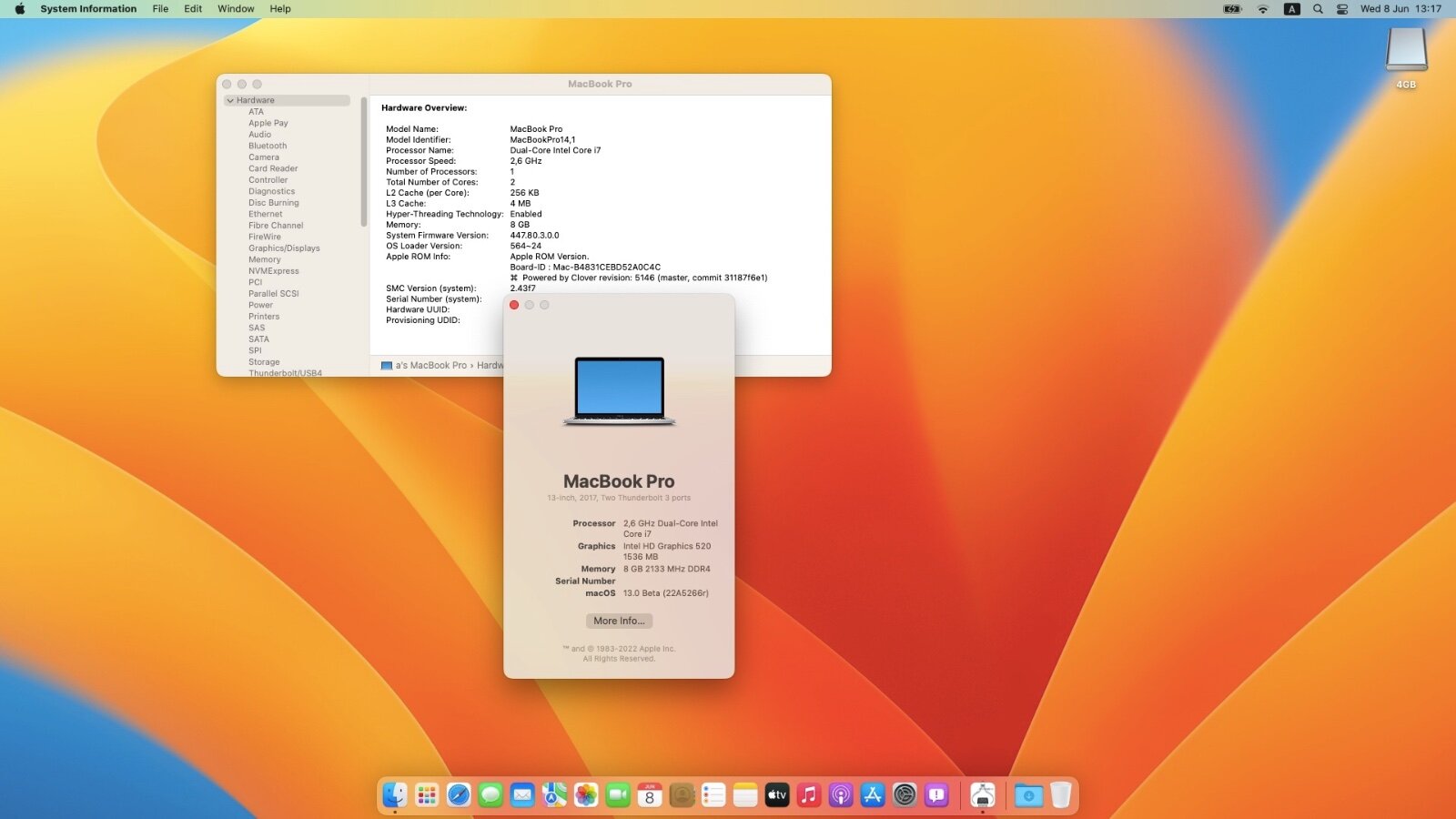
As stated and shown at Applelife & InsanelyMac, works with OpenCore + AvoidRuntimeDefrag=No. Not sure about the need to add -lilubetaall boot arg. Boot loop with Clover (r5142) for the moment on my E7270 Skylake laptop with same config as used for Big Sur and Monterey, only SMBIOS changed to MBP14,1. I confirm that support for Haswell, Broadwell and Skylake iGPU is dropped, the only graphics framebuffers available in /S/L/E being KBL, CFL and ICL ones. For AMD, all GPUs older than Polaris generation are dropped. AppleIntelCPUPowerManagement is dropped too, something we still required on good old C2D, C2Q, 1st gen Core, Sandy Bridge and Ivy Bridge platforms so that could add a few nails in their coffin.
-
7490: issues with sleep, power-off and wifi in Big Sur and Monterey
Hervé replied to gemino's topic in The Archive
Guys, please contact the OP directly; there's nothing we can do about files hosted externally. -
[Solved] Dell 7280 Monterey post install issues - USB Type C
Hervé replied to Hack.intosh's topic in The Archive
There was no mention of Thunderbolt, only USB type-c. -
E6220 (i7-2640m, 8GB): Mojave fresh USB installation stuck
Hervé replied to BillDH2k's topic in The Archive
If you managed to run High Sierra, just run the Mojave installation package from it and you'll be able to update macOS; you'll just have to do the graphics post-install fine-tuning afterwards. -
That flag of yours is specific to your hypervisor and does not exist in Chameleon; so it's irrelevant as far as ModCD or ModUSB is concerned. I'm pretty sure you'll need an older version of Mac OS X or OS X but not macOS to be able to run ModUSB; this is old stuff and I'm pretty sure it's not compatible with modern macOS versions.
-
Afaik, ModCD can only be used to make a bootable CD. If you want a bootable USB version, you have to use ModUSB but that requires an existing Mac, Hack or VM. "Chameleon Penryn flag", what's that???
-
E6220 (i7-2640m, 8GB): Mojave fresh USB installation stuck
Hervé replied to BillDH2k's topic in The Archive
Just as a test, when Clover main menu appears, go to the Options menu and add boot-arg -igfxvesa in case it's the graphics causing issue. But I don't remember needing that myself. NullCPUPowerManagement is not going to be of any use here; it's not an issue related to CPU PM. -
E6220 (i7-2640m, 8GB): Mojave fresh USB installation stuck
Hervé replied to BillDH2k's topic in The Archive
The SSDT I provided above IS for your i7-2640M! You must have confused the host processor (i.e. the i7-3540M of my E6230 on which I generated the table) and the target processor... Read the contents of the file with all due care. Re: DSDT, correct, there's no patched DSDT in the Mojave and Catalina packs I provided. Simply because I found I no longer needed it.